

Free PDF Editor, No Sign-Up Needed
Edit a PDF online in seconds. Add or change text, insert images and signatures, fill forms, and add, remove, or reorder pages. No sign-up. No watermark.
- Write on a PDF, add images, or fill & sign
- Free, fast, and secure, no account required
- Works on Mac, Windows, iPhone, and Android in any browser

Drop PDF file here to edit
Up to 10 MB per file · Free
Files deleted within 1 hour. We don't index your file contents or use them to train AI.

Files Deleted Within 1 Hour
We use HTTPS encryption in transit. We never train AI on your file contents.

Fast, Light Processing
The editor is quick and light. Fix a PDF anytime, anywhere.

No Sign-Up, No Watermark
Edit free and download clean. We never brand your output.

Edit on Any Device
Built for phones first. Edit PDFs on iPhone, Android, or desktop. No install.
How To Edit a PDF File Online
Four steps. No installs. No accounts. No hidden limits.
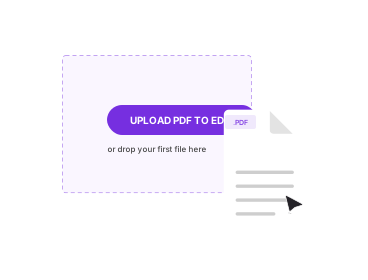
Upload Your PDF
Drag your PDF into the box above, or click to browse. The first page opens on an editable canvas.
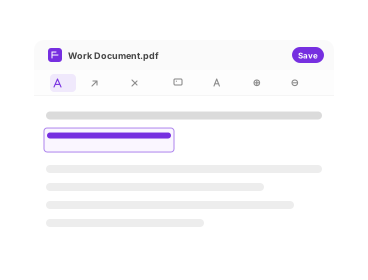
Edit the Document
Add or edit text, insert images and signatures, fill form fields, and add, remove, or reorder pages.
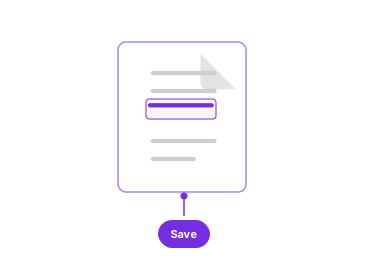
Apply Your Changes
Click Apply Changes to bake your edits into the document exactly as you arranged them.
Download the PDF
Click Download to save the finished file to your device. No watermark, ever.
What You Can Do in the PDF Editor
Everything you need to change a PDF, in one easy-to-use editor.

Edit PDF Text
Write on a PDF or change and remove text like a Word document. Fix typos, update information, or rewrite whole sections in a few clicks.

Insert Images and Logos
Add logos, photos, or visuals to your PDF with ease. Upload and place your image, ideal for branding or enhancing a document.

Fill & Sign Forms
Fill out fields directly in your PDF and sign online. Type into fields, draw your signature, or upload one, no printing needed.

Add, Remove & Reorder Pages
Drop in new pages, delete the ones you don't need, and drag pages into the order you want before you download.

Edit Any PDF
Make changes to any PDF file. The editor works with PDF/A, PDF/UA, PDF/X, and other formats without conversion.

Intuitive, No-Skill UX
Open the editor and know what to do. Well-placed controls give a smooth experience, even if it's your first time editing a PDF.
About Editing PDFs Online
A PDF editor lets you change a PDF directly, fix a typo, add a note, sign a form, or drop in an image, without rebuilding the document from scratch. It is the tool you reach for when you have the finished PDF but not the original Word or design file it came from. PDFNoob runs entirely in your browser: upload your file, make the changes you need, and download a clean result with no watermarks and no confusion.
You don't need any technical skill. Upload or drag & drop your PDF and start making changes. Edit text like a Word document, add logos and photos at their native resolution, fill and sign forms, and reorganise pages. When you're done, your edits flatten into a standard PDF that opens the same way in Preview, Acrobat, Chrome, and mobile viewers. Files travel over an encrypted HTTPS connection and are deleted from our servers within one hour; we don't index your file contents and never use them to train AI.
PDF Editor vs Sign PDF vs Edit Metadata
These three tools overlap, so pick the one that matches the job. The PDF Editor is the all-in-one tool for changing what appears on the page, text, images, pages, and signatures. If all you need is a signature, Sign PDF is a faster, focused way to draw, type, or upload one and place it. If you want to change the document's properties, its title, author, subject, or keywords, rather than the visible page, use Edit PDF Metadata, which never touches page content. To remove protection before editing, run Unlock PDF first. For heavy reformatting, converting with PDF to Word is often easier than editing in place.
Who Uses the PDF Editor
Teachers and students update lesson plans, fill out worksheets, and review assignments in one place. Professionals edit contracts, update reports, and add signatures on the go. And for one-off edits, a sudden fix to a single PDF, there is no setup and no learning curve, just a quick change when you need it.
To learn more, read our guides on flat vs layered PDFs and what a PDF reader is.
Related PDF Tools
Other tools you might need today.


Edit PDF FAQs
Common questions about editing PDF files online with PDFNoob.
What Is a PDF Editor, and Why Would I Need One?
A PDF editor lets you change a PDF directly, fix typos, add notes, sign forms, or insert images, without recreating the document. It is the go-to tool for updating a file when you don't have the original source it was made from.
How Do I Edit Text in a PDF for Free?
Upload your PDF to PDFNoob, click the text you want to change, and start typing. You can correct a name or rewrite a whole paragraph, much like editing a Word document. It's free with no watermark.
Can I Insert Images or My Logo Into a PDF?
Yes. Upload and drop in images, logos, or a signature, then resize, move, or delete them. It's beginner-friendly and works well for branding or filling in visuals.
Can I Fill Out and Sign Forms in the Editor?
Yes. Type into fillable fields and add your signature, draw it, upload it, or type it. This suits job forms, agreements, and school submissions. For a page focused only on signing, use the Sign PDF tool.
Can I Add, Remove, or Reorder Pages?
Yes. The editor lets you add pages, delete pages you don't want, and drag pages into a new order before you download the finished PDF.
Which PDF Formats Can I Edit?
The editor works with standard PDFs as well as PDF/A, PDF/UA, and PDF/X files, so archival, accessible, and print-oriented documents all open for editing.
Can I Use the PDF Editor on My Phone or Tablet?
Yes. PDFNoob runs in your browser with no app to install. Edit on a phone, tablet, or computer, iPhone, iPad, or Android in Safari or Chrome.
Is Editing PDFs Online With PDFNoob Safe?
Files travel over an encrypted HTTPS connection and are deleted from our servers within one hour. We don't index your file contents and never use them to train AI.
Do I Have to Sign Up to Edit a PDF?
No. Basic editing needs no account, just upload and go. You can create a free account any time, but it's never required to edit and download.
What Is the Difference Between the PDF Editor, Sign PDF, and Edit Metadata?
The PDF Editor changes what's on the page, text, images, pages, and signatures. Sign PDF is a focused tool for adding only a signature. Edit Metadata changes document properties like title, author, and keywords, not the visible page content.