


Merge PDF Files Online and Free
Combine multiple PDFs into a single document in seconds. Drag to reorder pages. No sign-up. No watermark. Files deleted within 1 hour.
- Free, fast, and secure. No account required.
- Drag to reorder pages before you join them.
- Works on Mac, Windows, iPhone, and Android in any browser.

Drop PDF files here
Up to 20 files · 100 MB total · Free
Files deleted within 1 hour. We don't index your contents or use them to train AI.

Files Deleted Within 1 Hour
HTTPS encryption in transit. We never train AI on your file contents.

Merge in Under 30 Seconds
Most joins finish at once. The merger handles files over 50 MB.

No Sign-Up, No Watermark
Free. No trial nag. No email gate. No quality limits.

Lossless Quality
Fonts, images, and form fields stay intact in your output.
How to Merge PDF Files Online
Three steps. No installs. No accounts. No hidden limits.
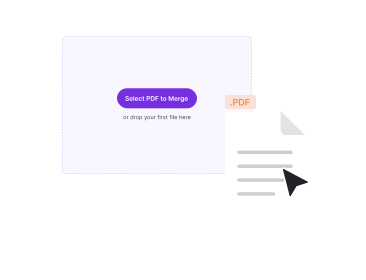
Upload your PDFs
Drag your files into the box above, or click to browse. You can add up to 20 PDFs at once.
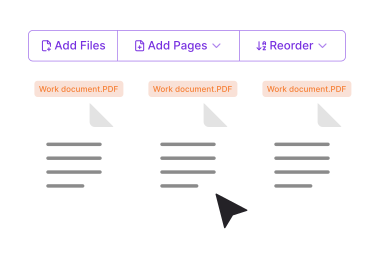
Reorder the pages
Drag thumbnails to set the merge order. Remove or rotate pages before you combine them.
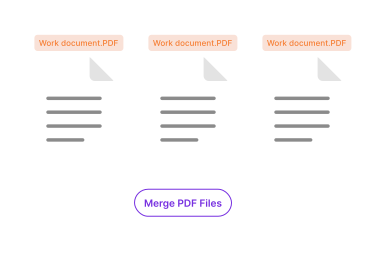
Merge and download
Click Merge PDFs. Your combined file is ready in seconds. No watermark.
Why Merge PDFs With PDFNoob?
We benchmarked sixteen PDF tools. Here's what makes ours different.

Truly Free, No Asterisks
No 3-merge cap. No signup wall. No Pro upsell to remove a watermark.

Fast on Mobile
Built for phones first. Join PDFs directly from iPhone or Android. No app install.

Privacy by Design
Files deleted within one hour. We don't index your file contents. We never use them to train AI.

Reorder Before Combining
Drag-to-sort thumbnails. You won't have to stich the files twice if the order is wrong.

Preserves Form Fields
AcroForm fields, signature fields, and bookmarks survive the join. Many online tools flatten them.

Files Over 100 MB
The free tier handles up to 100 MB combined. The desktop app supports larger files.
About Combining PDF Files
Merging two or more PDFs into a single document is one of the most common PDF workflows. You might need to combine a cover letter with a resume. You might want to stitch scanned receipts into one expense report. Or you might bundle separate chapters into a unified ebook. PDF was designed for this kind of compositional use. Every PDF is a tree of page objects. The objects can be appended without re-rendering. That is what makes a join fast and lossless.
PDFNoob keeps the merger byte-conservative where it can. Fonts referenced in the input files stay intact. The tool deduplicates identical fonts. Image streams keep their original resolution. Interactive elements carry through to the output. AcroForm fields, signature placeholders, bookmarks, and link annotations all survive. The result is a single PDF that behaves like the inputs, just glued end to end.
Combine vs. Merge vs. Join: What Is the Difference?
The three terms often mean the same thing. "Combine PDF" tends to imply mixing pages and reordering during the operation. "Merge PDF" and "join PDF" usually mean appending files end to end in upload order. PDFNoob supports both modes. Drop multiple files in. Then drag thumbnails to reorder before you click Merge if you need a custom sequence.
What To Do Before You Combine Files
- Rotate any sideways pages: Use the rotate icon on the thumbnail strip.
- Remove duplicate pages: Click the X on any thumbnail you don't want included.
- Check that source files aren't password-protected: Unlock them with the Unlock PDF tool first.
- If the combined size will go over 100 MB: compress the largest input first with the Compress PDF tool. Then merge.
To learn more, read our guides on what a PDF portfolio is and how to split a PDF.
Related PDF tools
Other tools you might need today.


Frequently Asked Questions
Common questions about combining PDF files online.
How Do I Merge PDF Files for Free?
Upload your PDFs to the merger above. Drag them into the order you want. Click Merge PDFs. Your combined file downloads at once. No account is needed. The output carries no watermark.
Is It Safe to Combine PDFs Online?
Yes. Files travel over an encrypted HTTPS connection. We delete them within one hour. We don’t index your file contents. We never use them to train AI. If you prefer never to upload at all, our desktop app does the join entirely on your computer.
How Many PDFs Can I Join at Once?
Up to 20 files at once on the free tier. The combined limit is 100 MB. That covers most personal and small-business needs. For larger jobs, like hundreds of files or files over 1 GB, you can use the desktop app or the API.
Will the Combined PDF Preserve Quality?
Yes. PDFNoob does a lossless merge. Fonts, images, form fields, bookmarks, and links from all source files stay intact. Many online mergers flatten form fields or downsample images to save space. We don’t.
Can I Merge Password-Protected PDFs?
Not directly. Remove the password first with the using the Unlock PDF tool. You’ll need the password. Then combine the unlocked files. We do this for security. We never want to be misused to bypass document protection.
Does the Joined File Have a Watermark?
No watermark, ever. PDFNoob is genuinely free. We never brand your output.
Can I Reorder Pages Within Each File Before Combining?
Yes. After upload, you’ll see a thumbnail strip for each file. Drag pages to reorder. Click the rotate button on any page. Hit the X to remove a page. The merged output reflects your order.
Does This Work on iPhone, iPad, or Android?
Yes. PDFNoob is a web app. No install is needed. Open this page in Safari or Chrome. Tap Select PDFs and pick files from Photos, Files, iCloud, or Google Drive. The merged PDF saves back to your phone the same way.