


Convert PPT to PDF Online and Free
Drop in a PowerPoint deck and get back a PDF that opens the same way on every screen, one slide per page, at your deck's own aspect ratio. No account needed.
- Free PPT to PDF converter for .ppt and .pptx decks.
- Download your PDF without an account.
- Each slide becomes one page. Text stays selectable.
- Up to 20 MB as a guest, 30 MB signed in.

Drop your files here
Free · No watermark · No sign-up · 20 MB guest limit
Files deleted in 1 hour. We don't index your content or use it for AI training.

Files Deleted Within 1 Hour
HTTPS in transit. We never train AI on your files.

No Account Needed
Convert and download your PDF without signing up.

Free to Use, No Watermark
Nothing is stamped on your pages.

20 MB Free, 30 MB Signed In
One file at a time. No PowerPoint licence needed.
How To Convert PPT to PDF
Three steps, plus the check most people skip.
Upload Your PowerPoint
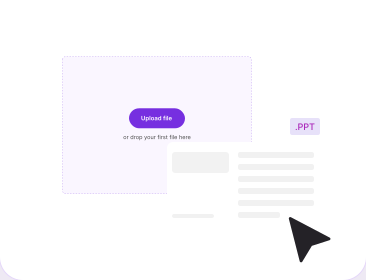
Drag one .ppt or .pptx into the box above. Guest uploads run to 20 MB. Google Slides and Keynote decks work once exported as .pptx.
Get the Deck Ready
Embed your fonts in PowerPoint before you upload. The PDF captures each slide exactly as it stands, so a font it cannot find gets substituted.
Download Your PDF
Click Convert, then download. No account is needed. Each slide becomes one page at your deck's aspect ratio, with searchable text.
Why Convert PowerPoint to PDF With PDFNoob?
How you hand a deck to someone who will not present it.

One Slide, One Page
Each slide becomes one PDF page, in order, with text Ctrl+F can still find.

No Account to Download
No sign-up wall in front of the finished PDF. An account only lifts the limit to 30 MB.

Animations Land Finished
Each build flattens to its final state. That is the right result, not a fault.

Links Still Click
Web and email hyperlinks survive the conversion. A reader taps the link in the PDF and it opens.

Notes Stay Behind
Speaker notes sit off the slide, so they are left out. The reader gets the deck, not your script.

Slides and Keynote Welcome
Export to .pptx from Google Slides or Keynote and it converts the same way as a native deck.
What Happens to Your Deck When It Becomes a PDF
A PowerPoint file is a live document: objects that move, slides that build on a click, notes only the presenter sees. A PDF is a fixed record of how each slide ended up. Preserved formatting covers what a slide shows, not what a deck does.
What Survives the Conversion and What Flattens
| In your deck | In the PDF |
|---|---|
| Text content | Kept. Selectable and searchable. |
| Font styling | Kept where possible, and only when the font is embedded. |
| Images and tables | Kept at their placed size and position. |
| Page layout and basic formatting | Kept as the finished slide looked. |
| Slide order | Kept. One slide, one page, page 7 is slide 7. |
| Web and email hyperlinks | Kept, and still clickable. |
| Slide size and aspect ratio | Inherited. 16:9 slide, 16:9 page. |
| Animations and builds | Flattened. Every step shows at once. |
| Slide transitions | Dropped. A PDF page has no timeline. |
| Embedded video and audio | Flattened. Video leaves a still, audio goes. |
| Action buttons and macros | Dropped. A PDF runs no PowerPoint actions. |
| Speaker notes | Left out. They sit off the slide. |
| Comments and presenter view | Not carried. One view for everyone. |
Flattening is the row people report as a bug, and it is not one. Four bullets that appear on click arrive as one page showing all four, because PDF has no timeline and no click state. Any tool claiming animations stay intact is wrong about the format. To keep each step, duplicate the slide per step in PowerPoint.
Why a Converted Deck Can Look Different
Font substitution causes almost every case, and it is what font styling kept where possible means in practice. A .pptx records the font name and expects the reading machine to have it, so a missing font gets a stand-in and a headline wraps. In PowerPoint open File, Options, Save and tick Embed fonts in the file, then convert that copy.
Your PDF Keeps the Slide Shape, Not A4
The PDF inherits its page size from the slide. A widescreen 16:9 deck measures 13.33 by 7.5 inches, so the pages do too, and a 4:3 deck gives 4:3 pages. It never becomes A4 or US Letter, which suits screen reading and complicates printing: a 16:9 page on Letter paper leaves deep white bands. Set the slide size under Design, Slide Size first.
What Gets Checked Before the Conversion Starts
Four things are read off the file first, each with its own message if it fails. The format has to be .ppt or .pptx, one file at a time. The size has to sit inside your limit: 20 MB logged out, 30 MB with a free account, up to 2 to 4 GB on a paid plan. A corrupted or empty deck is turned away rather than half converted. And a password-protected file cannot be opened to read the slides, so take the password off a copy first.
The same checks apply when the deck did not start in PowerPoint. In Google Slides use File, Download, Microsoft PowerPoint. In Keynote use File, Export To, PowerPoint. Both remap fonts, so check a text-heavy slide first.


Frequently Asked Questions
Converting PowerPoint to PDF, answered.
How Do I Convert PPT to PDF for Free?
Upload your PowerPoint to PDFNoob and click Convert, then download the PDF. No account and no email address are needed. The file arrives with no watermark, and the tool runs in a browser, so nothing installs.
Do I Need an Account to Convert PPT to PDF?
No. You can upload a deck, convert it and download the finished PDF without signing up. A free account only raises the upload limit, from 20 MB as a guest to 30 MB signed in.
Do Animations and Transitions Carry Over to the PDF?
No, and no converter can manage it. A PDF has nowhere to store motion. Each animated slide is flattened to its final state, so a four-step build arrives as one finished page.
Will My PowerPoint Formatting Stay the Same in the PDF?
The PDF keeps your text content, basic formatting, page layout, images, tables, and font styling where the font allows it. Each slide becomes one page, in order. What moves or hides changes: animations, video, speaker notes.
Why Do My Fonts Look Different After Converting PPT to PDF?
Because the font was not embedded. A .pptx points at a font installed on your machine rather than carrying it, so a stand-in gets used and text reflows. Tick Embed fonts in the file, save, then convert.
Can I Convert Both .ppt and .pptx Files?
Yes, both are accepted, one file at a time. The older .ppt is the binary format used up to PowerPoint 2003, and .pptx is the zipped XML format used since 2007.
Will My PDF Pages Be 16:9 or A4?
Your PDF inherits the slide size. A 16:9 deck produces 16:9 pages and a 4:3 deck produces 4:3 pages, not A4 or Letter. Change the slide size first if you plan to print.
Are My Speaker Notes Included in the PDF?
No. Notes sit off the slide in a separate pane, so a slide to page conversion misses them. To get them under each slide, export from PowerPoint using the Notes Pages layout.
What If My File Is Password-Protected or Will Not Upload?
A password-protected deck cannot be read, so you are asked to remove the password and try again. Save a copy without the password in PowerPoint, then upload that. A corrupted or empty file is turned away by the same check, and anything over the size limit is refused.
Is It Safe to Convert PowerPoint to PDF Online?
Your file travels over an encrypted HTTPS connection. Files are deleted within 1 hour. We don't index your file contents or use them to train AI.