

PNG to PDF Online and Free
Turn PNG images into a PDF in your browser. Choose one combined file or one page per image, set the page size, and get a predictable result when your PNGs have transparent backgrounds. No sign-up. No watermark.
- Free PNG to PDF converter. No account required.
- One combined PDF, or a separate PDF per image.
- Works on any device, Mac, Windows, iPhone or Android, in any web browser.

Drop your PNG files here
Up to 100 PNGs · Free
Files deleted within 1 hour. We don’t index your file contents or use them to train AI.

Files Deleted Within 1 Hour
HTTPS encryption in transit. We never train AI on your file contents.

Converted in Under 20 Seconds
Most batches finish at once, even with 100 images.

No Sign-Up, No Watermark
Free. No trial. No email gate. No cap before download.

Pixels Kept Lossless
PNG data is embedded as-is. Never re-encoded to JPEG.
How To Convert PNG to PDF
Three steps. No installs. No accounts. No hidden limits.
Upload Your PNGs
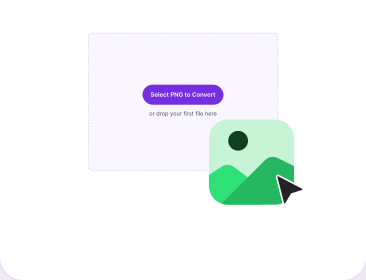
Drag your PNG files into the box above, or pick them from your device. Add as many as you need in one batch.
Set Layout and Output
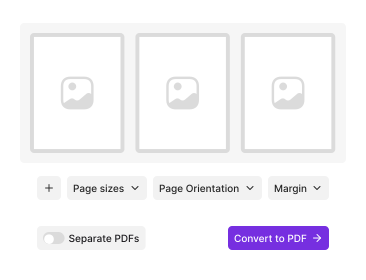
Pick page size, orientation and border. Drag thumbnails to set the order. Then choose one combined PDF or one PDF per image.
Download the PDF
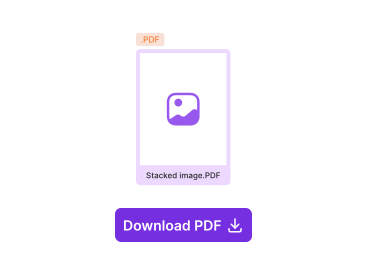
Click Convert. Your file downloads at once, with no watermark and nothing to install.
Why Convert PNG to PDF With PDFNoob?
Transparency handled predictably, real layout control, and honest limits.

Transparency Handled Predictably
Transparent areas are flattened onto white, so the PDF looks the same on screen and in print. No surprise black boxes behind your logo.

One PDF or One Per Image
Combine every PNG into a single multi-page file, or get a separate PDF for each image. Most converters force one behaviour.

Page Size, Orientation, Border
A4, Letter, or Original. Portrait or landscape. Add a margin or go edge to edge. You decide how the image sits on the page.

Lossless PNG Data Preserved
PNG is a lossless format and it stays that way. Your file is embedded without a JPEG re-encode, so the PDF stays high quality and no new artifacts appear.

Privacy by Design
Files delete within one hour. We don’t index your file contents. We never use them to train AI.

Built for Screenshots
Screenshots are the most common PNGs people convert. Retina files and very tall scrolling captures both land correctly on the page.
About Converting PNG Files to PDF
PNG is what your computer reaches for whenever an image needs sharp edges or a transparent background: screenshots, logos, diagrams, charts, UI mockups. It is lossless, so the pixels you saved are the pixels you get back. PDF is a different kind of thing, a page container built for sharing and printing, and that gap is where the surprises come from.
PDFNoob embeds your PNG data directly rather than converting it to JPEG first, so nothing is recompressed and no new artifacts appear. What the converter decides is geometry: how large the image is drawn, what page it sits on, and what happens where your PNG has nothing at all. Converting a mix of formats instead? The JPG to PDF converter takes seven image types in one batch.
What Happens to Transparency
Almost no converter explains this one. A PDF page has no alpha channel, so a transparent region in your PNG has to be composited onto something before it can be drawn. PDFNoob composites onto white: a logo with a transparent background lands on a clean white page and prints correctly. The failure mode elsewhere is compositing onto black, which is why a transparent PNG sometimes turns into a dark rectangle in other tools. If you need transparency to survive as transparency, PDF is the wrong destination, keep the PNG.
How Pixel Size Becomes Page Size
A PNG is measured in pixels, a PDF page in inches or millimetres, so converting needs an assumed resolution. The arithmetic is pixels divided by DPI. At 96 DPI a 1920-pixel-wide screenshot is 20 inches across, far wider than A4, so it scales down to fit. At 300 DPI the same file is 6.4 inches and sits comfortably. It is also why a Retina screenshot looks smaller than expected: twice the pixels for the same visible area. Choosing Original page size sidesteps all of it.
One PDF or One Per Image?
- One combined PDF. Best when the images belong together, a set of receipts, a scanned agreement, a sequence of screenshots documenting a bug. You get one file with one image per page in the order you set.
- One PDF per image. Best when each file has its own life, invoices going to different people, assets being filed separately, or anything you will attach individually.
If you picked combined and later want the pages apart, Split PDF separates them. If the finished file is larger than you want to email, Compress PDF reduces it.
For a full walkthrough, read our guides on how to convert PNG to PDF and how to convert an image to PDF.
Related PDF Tools
Other tools you might need today.


Frequently Asked Questions
Common questions about converting PNG images into a PDF.
How Do I Convert PNG to PDF for Free?
Drop your PNG files into the converter above. Drag the thumbnails into the order you want, pick your page size, and choose whether you want one combined PDF or one PDF per image. Click Convert and the file downloads at once. No account is required and the output carries no watermark.
What Happens to a Transparent PNG Background?
A PDF page has no transparency of its own, so a transparent area has to be composited onto something. PDFNoob flattens it onto white, which is what you want in almost every case: the PDF then prints and displays the same way everywhere. If you need the transparency preserved as transparency, a PDF is the wrong container and you should keep the PNG.
Can I Convert Multiple PNG Images Into One PDF?
Yes, and you can also do the opposite. Choose one combined PDF to get a single multi-page file with one image per page in the order you set, or choose one PDF per image to get a separate file for each PNG. Most converters only do one of these.
Will My PNG Lose Quality in the PDF?
No. PNG is a lossless format and PDFNoob embeds your file as-is, without re-encoding it to JPEG. Every pixel that went in comes out. What changes is the physical size the image is drawn at on the page, not the pixel data itself.
Why Is My PDF Bigger Than the PNG Files?
Because the PNG data is embedded losslessly rather than recompressed, and a PDF adds its own structure around it: page objects, fonts and a cross-reference table. A 400 KB PNG can become a slightly larger PDF. That is the trade for keeping the pixels intact. If size matters more than fidelity, run the result through Compress PDF.
Can I Turn Screenshots Into a PDF?
Yes, and screenshots are the most common source of loose PNGs. Two things worth knowing: a Retina or 2x screenshot carries double the pixels, so it will be drawn at half the physical size unless you scale it to the page, and a very tall scrolling screenshot fits better in landscape or on an Original-sized page than on a portrait A4.
Is It Safe to Convert PNG to PDF Online?
Yes. Files travel over an encrypted HTTPS connection. We delete them within one hour. We don’t index your file contents. We never use them to train AI.
Does the Output PDF Have a Watermark?
No watermark, ever. There is no sign-up, no trial, and no cap you hit before the download works. We never brand your output.