


Edit PDF Metadata Online and Free
Update PDF metadata online for free. Change the title, author, subject, and keywords in a few clicks. No sign-up. No watermark.
- Modify title, author, subject, keywords, and XMP fields.
- Set PDF properties without touching page content.
- Works on Mac, Windows, iPhone, and Android in any browser.

Drop your PDF here
Up to 100 MB per file · Free forever
Files deleted in 1 hour. We don't index your content or use them to train AI.

Files Deleted Within 1 Hour
HTTPS encryption in transit. We never train AI on your file contents.

Updated in Under 10 Seconds
Metadata changes right at once. No re-rendering.

No Sign-Up, No Watermark
Free forever. No trial. No email gate. No quality limits.

Page Content Untouched
Only metadata changes. Text, images, and layout stay exactly as in the source.
How To Edit PDF Metadata Online
Three steps. No installs. No accounts. No hidden limits.
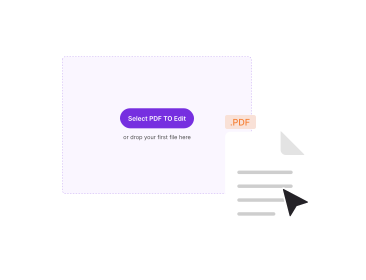
Upload Your PDF
Drag your file into the box above, or click to browse. The current metadata loads in a form.
Modify the Fields
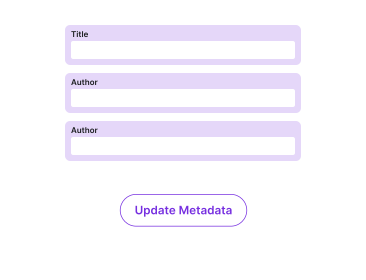
Change title, author, subject, and keywords. Leave a field blank to strip that value.
Save and Download
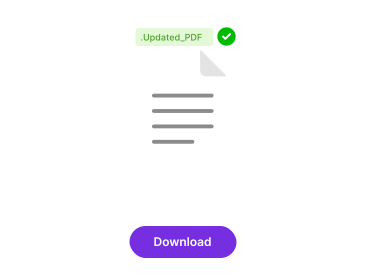
Click Save. A new PDF with the updated properties downloads. The visible content stays the same.
Why Edit PDF Metadata With PDFNoob?
Clean PDF properties matter for searchability, organisation, and privacy. You should not need Acrobat to fix them.

Update Every Standard Field
Title, author, subject, and keywords, plus producer and creator strings. PDFNoob writes both Document Info and XMP for compatibility.

Strip Metadata for Privacy
Leave fields blank to wipe personally identifying info. Useful before you share a PDF publicly or attach it to a job application.

Improve Searchability
Clear titles and keywords help PDFs surface in document management systems, intranets, and web search results.

Mobile-Friendly Editing
Modify metadata directly from your phone. The form is fully responsive on iPhone and Android.

Files Stay Private
Auto-delete in one hour. We never index your PDF content. We never use it to train AI models.

No Re-Rendering
Property updates right in place. Text, fonts, images, and form fields stay byte-identical to the source.
About PDF Metadata
PDF metadata is descriptive information embedded inside a PDF about the document itself, not its visible content. Every PDF carries at least a Document Information Dictionary with four primary fields: Title, Author, Subject, and Keywords. Modern PDFs also embed XMP (Extensible Metadata Platform) packets. XMP is an XML-based standard from Adobe. It lets a file hold richer metadata, such as multiple authors, copyright statements, rights information, and creation history.
When you open a PDF in Acrobat, Preview, Chrome, or any reader, the application reads these fields. The reader uses them in the window title bar, file dialogs, and document-property panels. Search engines and document management systems read them too. They use the fields to index the file. Setting them correctly is a small but high-leverage step for organisation, sharing, and privacy.
What Each Field Is For
- Title: The human-readable name of the document. Most viewers show this in the tab or window title bar. If it is blank, the filename is the fallback.
- Author: The person or organisation that wrote the document. The OS user account often auto-populates this when the file is created.
- Subject: A short topic descriptor. Useful for grouping in document management systems.
- Keywords: A comma-separated list of tags. Search engines and library systems read it for indexing.
Why Blank or Wrong Metadata Is a Problem
Many PDFs export with the author field set to the Windows or macOS username that was logged in when the file was made. That is not always something you want to share with the world. Title fields often stay empty, so the PDF appears as just its filename in browser tabs. When you share or publish a document, take 30 seconds to set a clean title, a generic author, and a few descriptive keywords. This makes the file easier to find and safer to share.
Related PDF Tools
Other tools you might need today.


Frequently Asked Questions
Common questions about editing PDF document properties and XMP metadata.
What Is PDF Metadata?
PDF metadata is descriptive information embedded in the document about the document itself. It covers title, author, subject, keywords, creator application, producer, and creation or modification dates. Modern PDFs also store metadata in XMP (Extensible Metadata Platform) format. XMP is an XML-based standard. It lets fields hold richer values like multiple authors or copyright statements.
How Do I Change PDF Metadata for Free?
Upload your PDF to PDFNoob. Modify the fields in the form. Click Save. The source file stays untouched. A new copy appears with updated metadata. No account is required. The output carries no watermark.
Which Metadata Fields Can I Update?
You can configure the standard Document Information Dictionary fields. These are title, author, subject, and keywords. The matching XMP fields update too. You can also set producer and creator application strings. Some PDF viewers show only the legacy fields. PDFNoob writes both sets for the best compatibility.
Why Does My PDF Show the Wrong Title in Browsers?
Most PDF viewers and browsers display the title field from the document metadata in the window title bar or tab. If the title is missing, they fall back to the filename. Setting a clear title makes your PDF easier to identify when it sits in a tab among many others, or when it is attached to an email.
Can I Strip PDF Metadata for Privacy?
Yes. Leaving the fields blank when you save strips the standard metadata. For a deeper scrub that also wipes hidden producer strings, timestamps, and embedded thumbnails, look for a dedicated PDF cleaner. Editing metadata alone does not remove every embedded trace.
Is Editing PDF Metadata Safe?
Yes. Files travel over an encrypted HTTPS connection. We delete them within one hour. We don't index your file contents. We never use them to train AI.
Does Modifying Metadata Change the Visible Content of the PDF?
No. Metadata sits apart from page content. Updating the title, author, or keywords does not modify any text, images, or layout on the pages themselves. Only the document properties change.
Will the New Metadata Show Up in Search Results?
If the PDF is published online, search engines often display the metadata title and snippet text from the page content. A clear, descriptive title improves how the PDF appears in search listings, shared links, and document management systems.