

PDF to PNG Converter That Keeps Text Sharp
Turn PDF pages into PNG images in your browser. Every page or just the ones you need, with lossless compression that keeps text crisp instead of smearing it. No sign-up. No watermark.
- Free PDF to PNG converter. No account required.
- Convert every page, or pick only the pages you want.
- Works on any device, Mac, Windows, iPhone or Android, in any web browser.

Drop your PDF here
Up to 10 MB per file · Free
Files deleted within 1 hour. We don't index your file contents or use them to train AI.

Files Deleted Within 1 Hour
HTTPS encryption in transit. We never train AI on your file contents.

One PNG Per Page
Every page comes back as its own image, numbered in order.

No Sign-Up, No Watermark
Free. No trial. No email gate. No cap before download.

Lossless, Not Lossy
PNG keeps text edges sharp. No JPEG smearing around letters.
How To Convert PDF to PNG
Three steps to change PDF to PNG. No installs. No accounts. No hidden limits.
Upload Your PDF
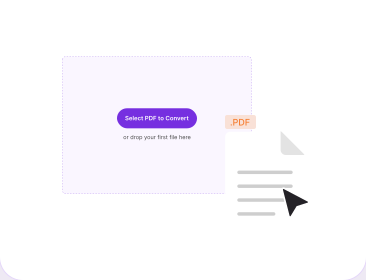
Drag your PDF into the box above, or pick it from your device. Works the same on desktop and mobile.
Choose Your Pages
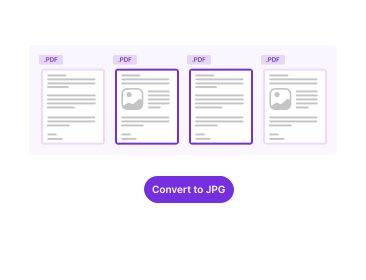
Convert the whole document, or select only the pages you actually need. Useful on a long report.
Download the PNGs
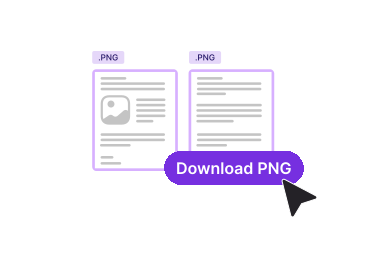
Click Convert. A single page downloads as one PNG; several pages arrive together so nothing goes missing.
Why Convert PDF to PNG With PDFNoob?
PDF to PNG free, with lossless output, page selection and a straight answer on resolution.

Text Stays Readable
PNG uses lossless compression, so image quality holds up where it matters: letter edges and thin chart lines stay clean. JPG smears them, which is why screenshots of text look muddy.

Every Page or Just a Few
Convert an entire document, or pick pages 1, 5 and 12. No need to split the PDF first or delete pages to work around the tool.

Predictable White Background
A PDF page has no transparency, so it renders onto solid white every time. No surprise black panels, no half-transparent text.

Resolution Explained, Not Hidden
Most converters just promise "high quality". We tell you what resolution actually means for your file and which one to pick.

Privacy by Design
Files delete within one hour. We don't index your file contents. We never use them to train AI.

No App, No Sign-Up
Runs in any web browser on any device. Nothing to install, no account, and no watermark on the way out.
About Converting PDF Pages to PNG
A PDF stores a page as instructions: draw this letter here, in this font, at this size. A PNG stores the finished result as a grid of pixels. Converting between them is called rasterising, and it is a one-way trip. A PNG drops into a slide, a chat message or a web page anywhere a PDF would be awkward. The trade is that you choose, at conversion time, how much detail the image will ever have.
That single decision is what almost every converter hides behind the phrase "high quality". It is worth understanding, because it drives both how sharp your text looks and how large the file ends up. Neither file format is wrong, they just store a PDF document in completely different ways. If you need JPG rather than PNG, or a different image format entirely, the PDF to image converter covers the full set.
Which Resolution Should You Choose?
Resolution is measured in DPI, and the arithmetic is simple: page inches multiplied by DPI gives you pixels. A US Letter page is 8.5 by 11 inches, so at 300 DPI it becomes 2550 by 3300 pixels. At 96 DPI the same page is 816 by 1056. Match the number to the destination:
- 72 to 96 DPI. Web pages, email, chat. A screen cannot display more detail than this, so anything higher is wasted bytes.
- 150 DPI. Slide decks, document previews, thumbnails that someone might zoom into a little.
- 300 DPI. Printing, or when OCR software needs to read the text back. Fine print needs the extra pixels to stay legible.
- 600 DPI and above. Rarely worth it. It quadruples the file size of 300 DPI for detail most screens will never show.
Why the PNG Is Bigger Than the PDF
This surprises people constantly, and it follows directly from the paragraph above. Text in a PDF is a few kilobytes of drawing instructions. The same text as a PNG is every pixel of the rendered page, stored losslessly because that is what PNG does. An 80 KB text-only PDF can come back as a multi-megabyte PNG at print resolution. Nothing has gone wrong. If the result is too big to send, lower the resolution or run it through Compress PDF before converting.
What You Give Up When Vector Becomes Pixels
PDF text is usually vector, so it stays razor-sharp at any zoom because it is redrawn at whatever size you view it. Once it is a PNG the pixels are fixed: zoom past the resolution you chose and it blurs. The text also stops being text. You cannot select, search or copy it, and screen readers cannot read it. If that matters, keep the PDF as the master and treat the PNG as a picture of it. To rebuild a PDF from images, use PNG to PDF.
Related PDF Tools
Other tools you might need today.


Frequently Asked Questions
Common questions about converting PDF pages into PNG images.
How Do I Convert PDF to PNG for Free?
Drop your PDF into the converter above. Choose whether you want every page or only certain pages, then click Convert. Each page becomes its own PNG image and the download starts at once. No account is required and nothing is watermarked.
What Resolution Should I Use for PDF to PNG?
It depends where the image is going. Around 72 to 96 DPI is fine for a web page or an email, because the screen cannot show more. About 150 DPI suits a slide deck or a document preview. Use 300 DPI if the PNG will be printed or read by OCR, since fine text needs the extra pixels. Higher is not automatically better: 600 DPI quadruples the file size of 300 DPI for detail most screens will never display.
Will the PNG Have a Transparent Background?
No. PNG supports transparency, but a PDF page does not carry one, so the page is rendered onto solid white. That is the right result for almost every use: the image looks the same everywhere and prints correctly. If you need a transparent logo, extract it from the source artwork rather than rasterising a whole page.
How Do I Convert Every Page of a PDF?
Choose the option to convert all pages and each one becomes a separate PNG, numbered in order, delivered together in a single download. You can also pick specific pages if you only need a few, which keeps the download small on a long document.
Why Is My PNG Larger Than the Original PDF?
Because the two store completely different things. A PDF page holds text as instructions, a few kilobytes of them. A PNG holds every pixel of the rendered result, losslessly. A text-heavy page that is 80 KB as a PDF can easily become several megabytes as a PNG at print resolution. Lowering the resolution is the fastest way to bring it down.
Should I Convert to PNG or JPG?
Pick PNG when the page is mostly text, a screenshot, a diagram, a chart or line art, because lossless compression keeps edges crisp and letters readable. Pick JPG when the page is dominated by photographs, where lossy compression saves a lot of size and the artifacts hide in the detail. If you want JPG, use our PDF to JPG converter instead.
Is It Safe to Convert PDF to PNG Online?
Yes. Files travel over an encrypted HTTPS connection. We delete them within one hour. We don't index your file contents. We never use them to train AI.
Does the PNG Have a Watermark?
No watermark, ever. There is no sign-up, no trial, and no cap you hit before the download works. We never brand your output.