


PDF Summarizer: Summarize a PDF Online and Free
Drop in a PDF, DOCX, or PPTX and get back a structured summary as short or as full as you need. Tell it what to focus on in your own words. Free to use.
- PDF, DOCX, and PPTX up to 30 MB, one document at a time.
- Paragraph or bullet points, at 10-20%, 25-40%, or 45-70% of the original.
- Custom instructions, up to 100 words: "Summarize only chapter 2".
- Five structured sections. Six tones. Download as DOCX or PDF.

Drop your PDF, DOCX, or PPTX here to summarize
Up to 30 MB per file · one document at a time
Files deleted within 1 hour · not indexed · never used to train AI

Files Deleted Within 1 Hour
HTTPS in transit. We never train AI on your files.

Free to Use
No watermarks. Nothing to install.

Paragraph or Bullet Points
At 10-20%, 25-40%, or 45-70% of the original.

Honest About Limits
We say where AI summaries go wrong.
How to Summarize a PDF
Three steps. No installs.
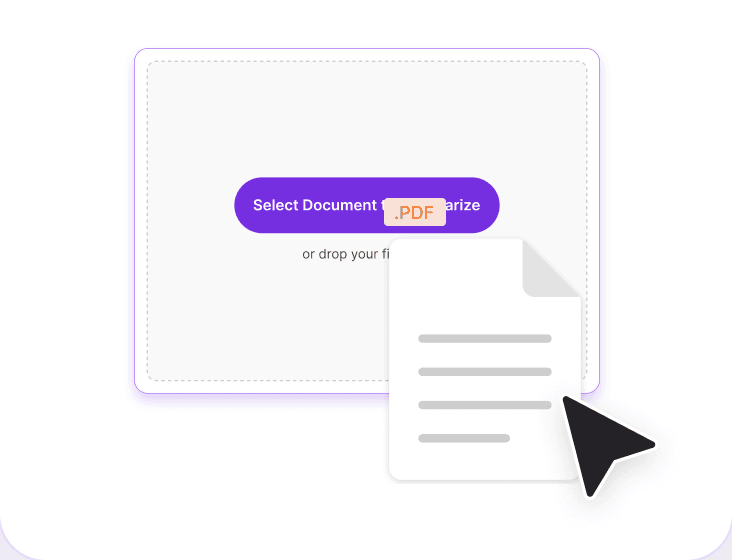
Upload Your Document
Drag a PDF, DOCX, or PPTX into the box above, or click to browse. One document at a time, up to 30 MB.
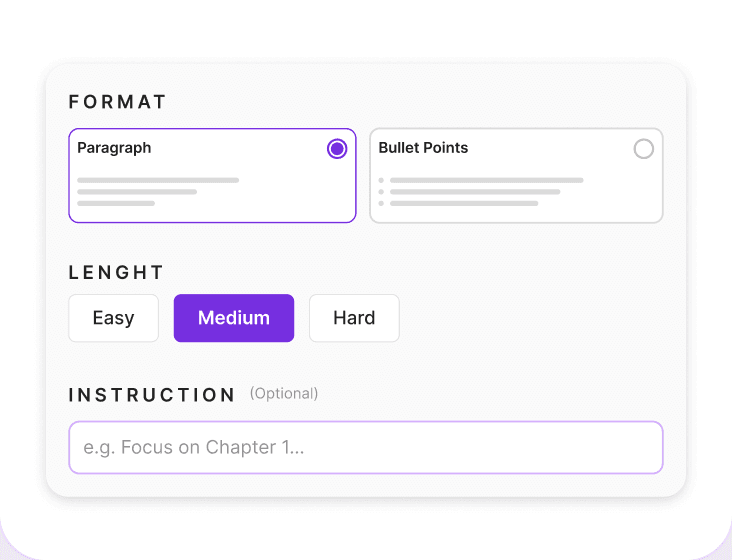
Set Format, Length, and Instructions
Paragraph or bullets. Short, medium, or long. One of six tones. Then up to 100 words of your own instructions.
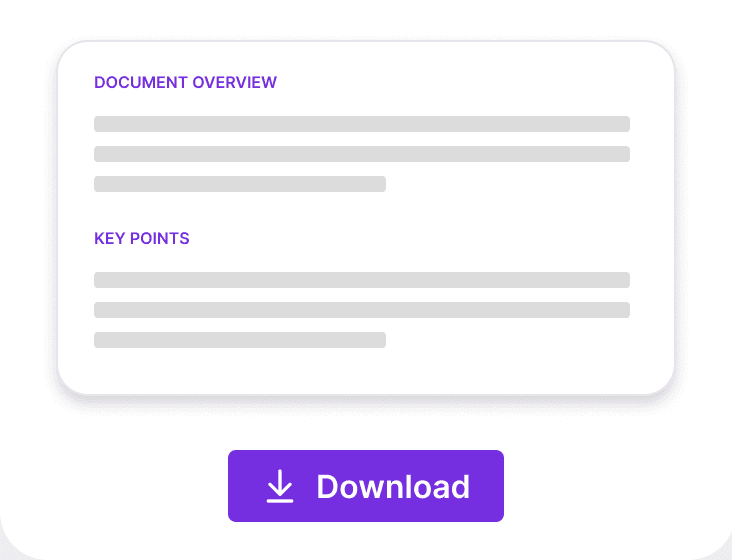
Read, Check, Download
Read the sections, then check any figure, date, or name against the page it came from. Copy it, or download a DOCX or PDF.
Why Summarize a PDF With PDFNoob?
Controls other summarizers do not give you, and a straight answer on what an AI summary can be trusted with.

Custom Instructions, 100 Words
Say what you want before it runs: "Summarize only chapter 2", or "Focus on definitions and key concepts".

Five Structured Sections
Document Overview, Key Points, Section-wise Summary, Key Takeaways, and Action Items. Not one wall of text.

Paragraph or Bullets, at Your Length
Prose to read, bullets to scan. Then short 10-20%, medium 25-40%, or long 45-70% of the original.

Six Tones to Pick From
Professional, Concise, Academic, Simple or Plain Language, Neutral, and Friendly.

Straight Into Question Generation
Finished reading? Send the same file to the AI Question Generator without uploading it a second time.

PDF, DOCX, or PPTX In. DOCX or PDF Out.
A report, a Word draft, or a slide deck, up to 30 MB. Copy the summary or download the file.
How a PDF Summarizer Reads Your Document
A summarizer does two jobs. It pulls the text out of the file, then compresses it into a shorter version that keeps the argument, the numbers, and the conclusion. If the first job fails, the second returns something confident and empty.
Length is a compression ratio, so it scales with the document. Short, 10 to 20 percent, suits a subject you already know. Medium, 25 to 40 percent, suits something you have to act on. Long, 45 to 70 percent, suits a contract, a methods section, or exam material.
Is Your PDF Scanned? Check Before You Summarize
A scanned PDF is a stack of photographs with no text layer, so there is nothing to read. Ten-second test: try to select a sentence. If the words highlight, the file is digital. If the cursor draws a box over the page, it is an image. Run it through OCR PDF first to add a real text layer.
What Can You Put in Custom Instructions?
Before the summary runs you get a box for up to 100 words of your own instructions, and this is the part almost no summarizer gives you. Write what you actually want. "Summarize only chapter 2." "Focus on definitions and key concepts." Name a section, a theme, an audience, or the question you need answered, and the summary is built around that rather than around the whole file. Be specific about scope: asking for one chapter returns a page you can use.
What the Five Summary Sections Contain
The output is not one undifferentiated block. It comes back as Document Overview, Key Points, Section-wise Summary, Key Takeaways, and Action Items or Next Steps. The Overview says what the document is and who it was written for. Key Points carries the claims. The Section-wise Summary follows the document's own order, so you can jump to the part you care about. Key Takeaways is what you would repeat to someone, and Action Items is what somebody has to do next. Reports can also return Decisions and Recommendations. If a document has nothing for a section, that section is left out instead of shown empty.
How Accurate Is an AI Summary?
It can be wrong. A summary can drop a qualifier, merge two separate findings, state a number more confidently than the source did, or add a detail that was never there. That is a property of language models, not a fault of one tool. Check every figure, date, and name against its page before you quote or sign it.
Related PDF Tools
Tools you may need before or after a summary.


Frequently Asked Questions
Common questions about summarizing a PDF.
How Do I Summarize a PDF for Free?
Upload your PDF, choose paragraph or bullet points, pick short, medium, or long, pick a tone, and run it. It is free to use. Copy the summary, or download it as a DOCX or PDF.
Can I Tell the Summarizer What to Focus On?
Yes. A custom instructions box takes up to 100 words before the summary runs. Write something like "Summarize only chapter 2" or "Focus on definitions and key concepts" and the summary is built around that instead of around the whole file.
Can I Summarize a Scanned PDF?
No. A scanned PDF is page images with no text layer. Run it through OCR PDF first. Quick test: if you cannot select a sentence, the page is an image.
How Accurate Is an AI PDF Summary?
Good enough to orient you, not good enough to sign. It can drop a qualifier or state a number more confidently than the source did. That is true of every AI summarizer. Check figures, dates, and names against their page.
How Long a Document Can the PDF Summarizer Handle?
Up to 30 MB, one document at a time. Under 5 pages counts as small, 5 to 30 as medium, over 30 as large. Long files are read in sections, so they read like an outline.
What File Types Can I Summarize?
PDF, DOCX, and PPTX. A deck summarizes differently from a report: slide text is short and leans on what the presenter said, so expect an outline.
Can It Summarize a PDF Written in Another Language?
Yes, as long as the file has a text layer. Widely published languages summarize more reliably than rare ones, and a scan in a non-Latin script needs OCR that supports it. Ask for English output if you prefer.
What Happens to Tables, Charts, and Images?
Tables are read as text and summarized, including tables that use merged cells. Charts are images, and a chart with no caption is still covered. What a summary will not do is re-do the arithmetic, so check any figure you plan to quote against the table it came from.
Is It Safe to Summarize a PDF Online?
Files travel over encrypted HTTPS. Files are deleted within 1 hour. We don't index your file contents or use them to train AI. For confidential material, check your own policy first.