


AI Question Generator: Turn Any PDF Into a Quiz, Free
Drop in a PDF, Word doc, or PowerPoint and the AI writes you a quiz in seconds. It's a free AI quiz maker that doubles as an AI quiz generator for any subject: multiple choice, true/false, open-ended, or flashcards, graded the moment you finish.
- Quizzes, flashcards, practice tests, and worksheets from one upload
- Graded instantly, with AI insights and questions you can edit
- Free, no sign-up, no watermark. Your file is deleted within an hour.

Drag and drop a file here, or click to browse
Up to 30 MB per file · PDF, DOCX, PPTX supported
Files encrypted · deleted in 1 hour · never used to train AI

Privacy by Default
We never train on your files, and everything you upload is deleted within an hour. Most AI quiz tools can't promise that.

Four Question Types
A multiple choice question generator, plus true/false, open-ended, and flashcards, all from one upload.

Instant Grading and Insights
See your score, what you got right and wrong, and AI notes on what to brush up on.

Teacher-Ready Export
Download an answer key to grade from, or a blank worksheet for the class, as TXT, DOCX, or PDF.
How to Make a Quiz From a PDF With AI
Three steps to turn a PDF into a quiz. As a quiz generator that works from your own PDF, the AI does the reading and the question writing.
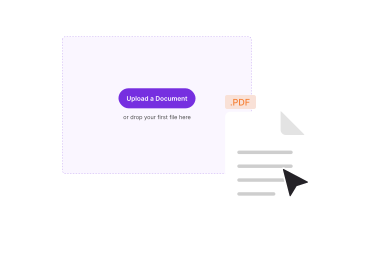
Upload Your Document
Drop in a PDF up to 20 MB as a guest, or 30 MB signed in. No file handy? Try the built-in sample.
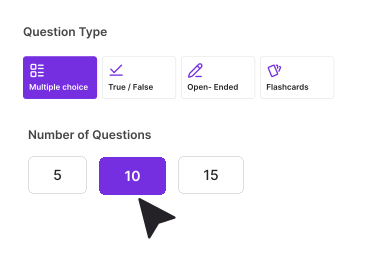
Pick Type, Count and Difficulty
Choose a question type, set Easy, Medium or Hard, pick 5, 10 or 15 questions, and add any instructions of your own.
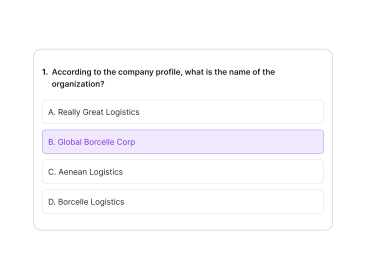
Generate and Download
Take the quiz for instant grading, or download it as an answer key or a blank worksheet. Downloading needs a free account.
Quizzes, Flashcards, Practice Tests, and Worksheets From One Upload
One generator, four ways to study and teach. Every format is built from your own document, free to make and never watermarked.

PDF to Flashcards
Use it as an AI flashcard generator: generate your questions, then switch to Flashcard Mode to study them as a deck, with the term on the front and the answer and its source on the back. Tap to reveal, mark "knew it" or "review again", and loop the ones you miss.

Practice Tests and Mock Exams
A free practice test maker for students and teachers: build a practice test from your material, mix multiple choice, true/false, and open-ended, take it for instant grading, then retry only the questions you got wrong.

Worksheets for Teachers
Turn any reading into a worksheet you can print. Sign in free to edit the questions, then download a blank sheet for the class and a matching answer key for yourself, as PDF, DOCX, or TXT.

Study Decks for Revision
Make a set of practice questions and flashcards to work through instead of re-reading a whole chapter. It's a faster way to revise before an exam.
Why Use PDFNoob's Question Generator
Made for students revising and teachers building assessments: free, private, and still useful long after the questions appear.

Made for Studying
Turn a textbook chapter or your lecture notes into a practice quiz or study deck, then retry just the ones you missed.

Explains the Answers
Miss a question twice and, once you are signed in, the AI explains it using your own document, so you learn the why and not just the what.

Any PDF
Handles PDF files up to 20 MB as a guest and 30 MB signed in, and goes from PDF to quiz in seconds, whether it's lecture slides, handbooks, or research papers. Word and PowerPoint uploads are coming.

Free to Use, No Watermark
Generate as many quizzes as you like without an account, a watermark, or a monthly cap. A free account, with no trial and no card, unlocks downloading and editing.
.svg)
Works Everywhere
Runs in any browser on Mac, Windows, iPhone, and Android. Nothing to install.
Turn Any Document Into a Quiz, Explained
Studying from a long PDF, lecture slide deck, or Word document is slow when all you have is the raw text. The AI Question Generator reads your document and writes practice questions from it directly — multiple choice, true/false, short open-ended answers, or flashcards — so you spend your time answering, not re-reading. Upload a PDF, DOC, PPT, or image, and the AI extracts the content and builds a quiz that reflects what's actually in the file, not a generic question bank.
How Does the AI Pick Questions?
You stay in control. Choose the question type, how many questions you want (5, 10, or 15 to start, with an option to add 5 more), and a difficulty level from easy to hard. Add optional instructions — "focus on chapter 3" or "avoid dates" — and the AI follows them when it generates the quiz.
Quiz Mode or Flashcard Mode?
Quiz Mode walks through one question at a time with immediate right/wrong feedback and a final score. Flashcard Mode flips each question so you self-assess whether you got it right. Both modes retry whatever you missed in a flashback round until you clear every question, and — once you're signed in — a repeated miss unlocks an AI explanation grounded in your own document.
What Happens to My Results?
Guests can generate and answer a quiz instantly with no account. Signing in saves your session so you can pick up where you left off, and unlocks downloading the full quiz — with or without an answer key — as a DOCX or PDF, ready to print, share, or hand out.
Is My Document Safe?
Files are deleted within one hour. We don't index your content, and we never use your uploaded documents to train AI models.
Frequently Asked Questions
Common questions about AI question generator.
Which AI Model Powers the Question Generator?
We route between Anthropic's Claude and a privacy-screened in-house model depending on how long your document is. Both read from your uploaded file using retrieval-augmented generation, so the questions and answers come from your document, not from the model's general training data.
Are My Documents Used to Train AI?
No. We never retain or train on the files you upload. Documents are deleted from our servers within an hour of your session ending, and our AI provider contracts prohibit training on customer data.
Are the Questions Accurate, or Can the AI Make Things Up?
The questions and answers are grounded in your document using retrieval-augmented generation, and each explanation points back to the section it came from. If your document doesn't cover something, the AI won't invent it. With a free account you can also edit any question before you download it.
What Question Types Can It Create?
Three question types from a single upload: multiple choice (four options), true/false, and open-ended short written answers, which needs a free account. Set the difficulty to Easy, Medium or Hard, and study the result in Quiz Mode or Flashcard Mode.
Can I Turn a PDF Into Flashcards?
Yes, through Flashcard Mode. Upload your PDF, generate your questions, then switch to Flashcard Mode for a tap-to-reveal deck with the answer and its source on the back. Generating is free with no watermark; a free account lets you download the deck.
Can I Make a Practice Test or Mock Exam?
Yes. Generate 5, 10, or 15 questions, mix multiple-choice, true/false, and open-ended, and take it for instant grading with explanations. You can also download it as a blank worksheet to sit again later.
Can Teachers Use It to Create Worksheets?
Yes. Generate questions from any document, then with a free account edit them and download a blank worksheet for students and a separate answer key for grading, as PDF, DOCX, or TXT, with no watermark or per-sheet cap.
How Many Questions Can I Generate at Once?
You can set 5, 10, or 15 questions per pass. After that you can run another batch or add more of a given type, so there's no hard cap on how big your quiz gets.
Can I Edit the Questions Before Downloading?
Yes, once you are signed in. With a free account you can reword a question, change the options, delete it or regenerate it before you take the quiz or download it. As a guest you can generate and take the quiz, but not edit it.
What Files and Sizes Are Supported?
PDF, up to 20 MB and 200 pages as a guest, or 30 MB and 500 pages once you are signed in. Guests also have a 20,000-word limit. Generating is free without an account; downloading needs one. Word (DOCX) and PowerPoint (PPTX) uploads are on the way.
Can I Download an Answer Key or a Blank Worksheet?
Yes. Export as TXT, DOCX, or PDF. A "With Answers" toggle lets you download either an answer key for grading or a blank worksheet for students to fill in.
Does It Work in Languages Other Than English?
Yes. The generator reads documents in 30+ languages and can write the questions in the document's language.
Do I Need an Account, and Does It Work Offline?
You can generate and take a quiz without an account. Downloading it, editing questions, and open-ended questions each need a free account, which costs nothing and has no trial period. You also need an internet connection, since the tool calls AI providers to build the questions.