


Unlock PDF: Remove a Password From a PDF You Own
Unlock a PDF you own and get back a copy you can open, print and copy like any ordinary document. Have the password the file was locked with ready, whether it is stopping the file opening or only blocking the print button. No sign-up. No watermark.
- Free PDF password remover. No account required.
- Remove password from PDF files you own, plus the print, copy and edit restrictions.
- Works on Mac, Windows, Linux, iPhone and Android, from any modern browser.

or Drop your protected pdf here
One PDF at a time · Up to 10 MB · Free
Files deleted in 1 hour. We don't index your content or use it for AI training.

Files Deleted Within 1 Hour
Sent over HTTPS. We never train AI on your file contents.

Your Password Is Not Stored
Used for the one decryption job, then discarded.

Both PDF Locks Covered
Open passwords and print, copy and edit restrictions.

No Sign-Up, No Watermark
Free. No trial, no email gate, and nothing stamped on your file.
How to Unlock a PDF Online
Remove PDF password protection in three steps, nothing to install, one honest limit.
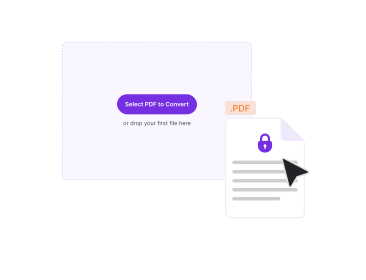
Upload the Locked PDF
Drag the protected file into the box above, or pick it from your device. One PDF at a time, up to 10 MB.
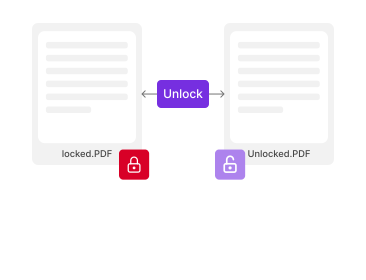
Enter the Password
Type the password the file was locked with. The field is required either way, so if you are not sure which of the two passwords your file carries, check the table below first.
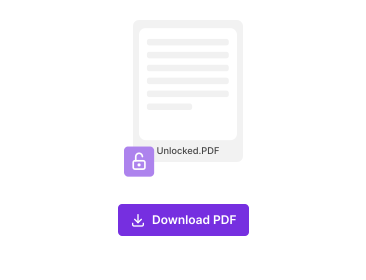
Download the Unlocked PDF
Click Unlock. The copy that downloads opens with no prompt, prints and copies normally, and carries no watermark.
Why Unlock a PDF With PDFNoob?
Both locks explained, a straight account of where your file goes, and when not to upload at all.

Where Your File Goes
Your PDF goes to our server over HTTPS, because the decryption runs there. It is used only to remove the protection. No human reviews it. It is deleted within one hour and never used to train AI. The password travels with it, is used once, and is not stored.

Which Password Your File Carries
A password protected PDF carries one of two different passwords, and which one you have decides whether you can remove the password from the PDF at all. An open password stops the file opening. A permissions password leaves it readable but blocks printing, copying or editing. The table below tells you which you have.

Only Files You Own
Unlock documents you own or have permission to unlock: your own bank statement, a payslip sent to you, a contract whose password has outlived its purpose. Permissions on someone else's document can be a contractual control, not an inconvenience.

When to Stay Offline Instead
Some files are worth handling with no upload: medical records, an unfiled tax return, legal discovery, anything under an NDA. On a Mac, open the PDF in Preview, enter the password, then export a copy with encryption off. Acrobat Pro's Remove Security does the same offline.

Free, With No Account
Free to use. No account, no trial, no email gate, nothing stamped on your file.

Works On Any Device
Runs on Mac, Windows, Linux, iPhone, iPad and Android from any modern browser. No install, no extension.
About Unlocking PDF Files
Unlocking a PDF means stripping out the encryption and permission flags that whoever made the file added, so your copy behaves like an ordinary document. One word, password, covers two different mechanisms, so how to remove a password from a PDF depends on which of the two your file carries.
The Two Passwords a PDF Can Carry
A user password, also called a document open password, encrypts the file. Nothing renders until it is supplied, which is why a viewer asks before showing you a page. An owner password, also called a permissions password, does not stop you reading: the document opens straight away and the restrictions sit in a table of flags covering printing, copying, editing and form filling.
| User password (open password) | Owner password (permissions password) | |
|---|---|---|
| What it includes | Opening the document at all. | Printing, copying text, editing and form filling. Reading is not blocked. |
| What you see when you open the file | A password prompt before any page renders. | Pages appear normally, but restricted buttons such as Print are greyed out. |
| Is the password needed to remove it? | Yes. Without it the content cannot be decrypted. | No. The file was never encrypted against being read. |
| Which of our tools handles it | Unlock PDF, with the password typed in. | Unlock PDF, with the owner password typed in. To change the document, PDF Editor. |
Whether the password is needed is the asymmetry that matters. A permissions restriction can be lifted without any password, because the file is not encrypted against being read: the flags are a request viewers agree to follow. An open password is different, because the content itself is scrambled and cannot be read without it.
Telling them apart takes one attempt at opening the file. A prompt before any content renders is an open password, and you need it. If the document opens but Print is greyed out, it is a permissions password.
Forgot PDF Password: Paths That Actually Work
Most pages treat this reader as an error to refuse. Real paths worth trying, in order:
- Check the vault you saved it in: If you set the password, your password manager or browser vault probably holds it.
- Check the sender's convention: Banks, payroll providers and insurers lock statements with a documented pattern: a date of birth, the last four digits of an account number, a customer reference. Usually it is in the covering email.
- Ask for it again: Whoever sent the document can resend it unprotected.
- Whoever sent the document can resend it unprotected: If the file opens and only printing is blocked, no password is needed.
And the part nobody states clearly: no legitimate tool can recover or bypass an unknown open password on a properly encrypted PDF. The encryption is doing the job it was built for. We do not attempt it and do not link to anything that claims to.
Once the file opens, Compress PDF reduces its size and Sign PDF adds a signature.
If you only need the text, read our guide on how to extract text from a locked PDF.
Related PDF Tools
Other tools you might need today.


Frequently Asked Questions
Passwords, permissions, privacy and troubleshooting.
Does unlocking a PDF remove the password permanently?
It removes it from the copy you download. That file opens with no prompt and its restriction flags are gone. Your original is untouched.
Do I need to know the password to unlock a PDF?
Yes. The password field is required, so have the password the file was locked with ready. What differs between the two kinds is what the password is protecting: an open password encrypts the content, while a permissions password only restricts printing, copying and editing.
Can you unlock a PDF without the password?
No. You need the password the file was locked with. Recovering an unknown one is not something we do, or link to, because a properly encrypted PDF is doing exactly the job it was built for.
How do I know which kind of password my PDF has?
Try to open it. A prompt before any page renders means an open password. If it displays normally but the print button is greyed out, it is a permissions password. The table above compares both.
Is it legal to remove a password from a PDF?
Removing protection from a document you own, or have permission to unlock, is ordinary work. Doing it to someone else's confidential file, to DRM protected content, or to an employer's controlled document is not.
Does the unlocked PDF have a watermark?
No. Nothing is stamped on the file you download, and there is no sign-up and no trial.
Are my file and my password safe?
The file goes to our server over HTTPS, because the decryption happens there, so the password travels with it. It is used once and not stored. No human reviews the file, it is deleted within one hour, and never used to train AI.
Does unlocking change anything else in the file?
It removes the encryption and the permission flags and leaves your pages alone. A digital signature keeps its appearance but is invalidated, because rewriting the file breaks what was signed. Redacted content stays redacted, and a scanned PDF stays a picture: adding a text layer is OCR.
What is the largest file I can unlock?
10 MB per file, one file at a time. If your document is larger, Compress PDF can bring an already unlocked file down before you pass it on.
The unlock failed. What should I check?
First the password, including capitals and any space a copy and paste added at either end. Then whether the lock is really a password: certificate protection and DRM such as Adobe Digital Editions cannot be removed online. A corrupt or oversized file will also fail.