


Sign PDF Online Free and Secure
E-sign a PDF in seconds. Draw, type, or upload your signature. Place it on the page and download a signed file. No sign-up. No watermark.
- Free electronic signature, valid under ESIGN and eIDAS
- Draw, type, or upload a signature image
- Works on Mac, Windows, iPhone, and Android in any browser

Drop your PDF here to sign
Up to 100 MB per file · Free forever
Files deleted in 1 hour. We don't index your content or use it for AI training.

Files Deleted Within 1 Hour
We use HTTPS encryption in transit. We never train AI on your file contents.

Signed in Under 30 Seconds
Most signatures apply at once. No waiting on a queue.

No Sign-Up, No Watermark
Free. No trial, no email gate, no signature caps.

Legally Binding
E-signatures meet ESIGN, UETA, and eIDAS rules.
How To E-Sign a PDF Online
Three steps. No installs. No accounts. No hidden limits.
Upload Your PDF
Drag your PDF into the box above, or click to browse. The first page opens in the signer view.
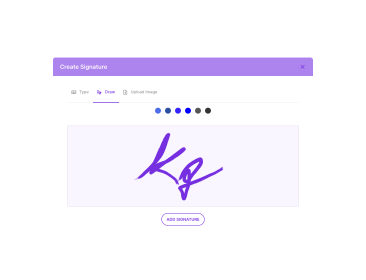
Create and Place Your Signature
Draw with a mouse or finger. Type your name. Or upload a PNG of your signature. Drag it onto the page.
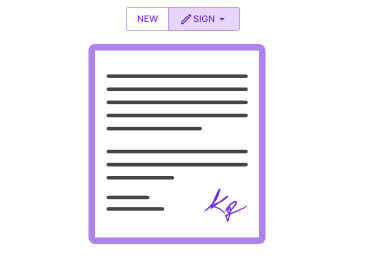
Download the Signed File
Click Apply. The signature flattens into the PDF. The signed file downloads with no watermark.
Why E-Sign PDFs With PDFNoob?
Free electronic signatures with the privacy and flexibility paid tools charge for.

Legally Binding Signatures
The signer follows the US ESIGN Act, UETA, and EU eIDAS. Use it for contracts, NDAs, and consent forms.

Draw, Type, or Upload
Three signature modes in one tool. Type a name in a cursive font. Draw freehand. Or upload a scanned signature image.

In-Browser Privacy
Your signed PDF sits on our servers for less than an hour. We don't index file contents. We never use them to train AI.

Mobile-First Signing
E-sign with a finger on iPhone or Android. Use Apple Pencil on iPad. No app install needed.

Initials and Dates Too
Add initials on every page. Add a date stamp. Add printed-name lines. Cover everything an agreement needs.

Unlimited Signings
No three-document trial cap. No monthly signature quota. Certify as many PDFs as you need, free forever.
About Signing PDFs Online
An electronic signature on a PDF is a digital copy of your handwritten signature. PDFNoob embeds it into the document. The US ESIGN Act of 2000, UETA, and the EU eIDAS regulation give e-signatures the same legal weight as ink. This covers most agreements: contracts, NDAs, employment offers, vendor agreements, and consent forms. A few high-stakes documents still need wet ink. These include wills, some real-estate filings, and court orders. Check local rules if you are unsure.
PDFNoob makes a standard electronic signature. The tool flattens an image of your drawn, typed, or uploaded signature into the PDF page content. This works for everyday business and personal use. For a cryptographic digital signature with a trust service provider certificate, use a certificate-based signing service. That is a different product class than free online signers.
Draw, Type, or Upload: Which Should You Pick?
Drawing your signature with a finger, stylus, or mouse looks most like a paper signature. Typing your name renders it in a cursive font. It is the fastest option when you just need attribution. Uploading a scanned image gives a consistent look across documents over time. A PNG with a transparent background works best.
What About the Rest of the Form?
Most agreements need a printed name, a date, and sometimes initials on every page. PDFNoob lets you add text boxes for each. Place them where the form asks. Type the value. They flatten into the final PDF next to your signature.
For a full walkthrough, read our guide on how to sign a PDF.
Related PDF Tools
Other tools you might need today.


Frequently Asked Questions
Common questions about signing PDFs online with PDFNoob.
How Do I Electronically Sign a PDF for Free?
Upload your PDF to PDFNoob. Draw or type your signature. Drag it onto the page where it belongs and click Apply. The signed PDF downloads at once. No account is required. The output carries no watermark.
Is Signing a PDF Online Legally Binding?
Yes, in most places. E-signatures are valid under the US ESIGN Act, UETA, and EU eIDAS. Both parties must agree to sign electronically. The signature must be tied to the signer. PDFNoob makes a standard electronic signature for everyday agreements. This covers contracts, NDAs, employment offers, and consent forms.
Can I Draw My Signature With a Mouse or Finger?
Yes. The signature pad takes mouse, trackpad, stylus, and touch input. On iPhone or iPad you can sign with a finger or Apple Pencil. On Android you can use a finger or stylus. The pad captures the stroke as a smooth vector trace. The trace flattens into the PDF.
Is It Safe to Sign a PDF Online?
Yes. Files travel over an encrypted HTTPS connection. We delete them within one hour of processing. We don't index your file contents. We never use them to train AI. If you prefer never to upload at all, our desktop app signs entirely on your computer.
Can I Add a Signature Without Typing My Name?
Yes. You can draw a freehand signature with a mouse or finger. You can also upload a PNG or JPG of your scanned signature. Typing a name is optional. The drawn or uploaded image is what we embed into the document.
Can Multiple People Sign the Same PDF?
Yes. Sign and download the file. Re-upload it and add a second signature in a new spot. Each signature flattens into the PDF before download. The final file shows all signatures in order.
Does the Signed PDF Have a Watermark?
No. PDFNoob never brands your signed document. The output looks like the input plus your signature.
Can I Sign a Password-Protected PDF?
Not directly. Use the Unlock PDF tool with the password to remove protection first. Then sign the unlocked file. We do this for security. We never want to be misused to bypass document protection.