



Compress PDF to 300 KB Online and Free
Reduce a PDF under 300 KB in seconds so you can submit to exam and recruitment portals with a 300 KB limit. Free, no sign-up, no watermark. Files deleted within 1 hour.
- Compresses toward 300 KB as your target ceiling.
- Basic, Strong, and Custom presets for full control.
- Works on Mac, Windows, iPhone, and Android in any browser.

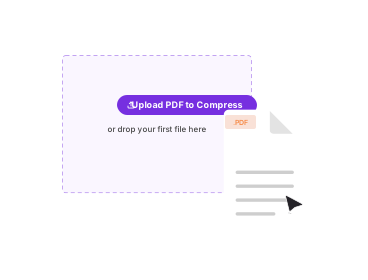
or drop your first file here
Up to 4 files · 100 MB each · Free
Files deleted within 1 hour. We don't index your file contents or use them to train AI.

Files deleted after 1 hour
HTTPS encryption in transit. We never train AI on your file contents.

Compress in Under 30 Seconds
Most files finish at once. The compressor handles PDFs over 50 MB.

No Sign-Up, No Watermark
Free. No trial nag. No email gate. No quality limits.

Quality You Control
Basic keeps it near-lossless. Strong goes smaller. Custom is yours.
How To Compress a PDF to 300 KB
Three steps. No installs. No accounts. No hidden limits.
Upload Your PDF
Drag your file into the box above, or click to browse. Compress up to 4 files, 100 MB each.
Choose a Preset
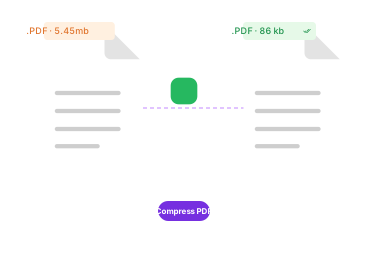
For a 300 KB target, Custom usually works best. Custom lets you set image DPI, grayscale, or remove images.
Compress and Download
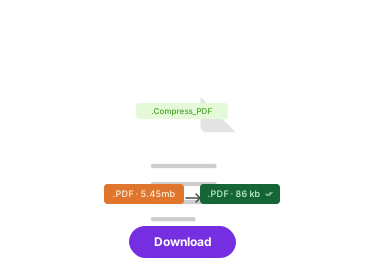
Click Compress PDF. Your file under 300 KB is ready in seconds. No watermark.
Need to bundle several files instead of shrinking one? Read our guide on how to convert a PDF to ZIP.
Compress PDF to Other Sizes
Need a different target? Jump to the size you need, or start from the main compressor.


About Compressing a PDF to 300 KB
People compress a PDF to 300 KB to submit to exam and recruitment portals with a 300 KB limit. 300 KB is achievable for text-led PDFs. For scans, use Custom to drop DPI or remove colour.
How close you get to 300 KB depends on what is inside the file. Text and vector pages compress a lot with little visible change, while scanned pages and photos are heavier and set the floor on how small the file can go. If a document will not reach 300 KB on Strong, open the Custom preset and lower the image DPI, convert the pages to grayscale, or remove images for a text-only result.
Related PDF Tools
Other tools you might need today.


Frequently Asked Questions
Common questions about compressing a PDF to 300 KB.
Can I Compress a PDF to Exactly 300 KB?
Yes. This tool compresses toward 300 KB as a ceiling. 300 KB is achievable for text-led PDFs. For scans, use Custom to drop DPI or remove colour. If your file is mostly images, the Custom preset gives you the control to reach 300 KB.
Is It Free to Compress a PDF to 300 KB?
Yes. Compressing to 300 KB is completely free. No account, no watermark, and no limit on how many files you compress.
Will Quality Drop When I Compress to 300 KB?
Text and vector graphics stay sharp. Images may soften as the file gets smaller, which is the trade-off for hitting 300 KB. Basic keeps the most quality; Strong and Custom go smaller.
Is It Safe to Compress a PDF Online?
Yes. Files travel over an encrypted HTTPS connection and are deleted within one hour. We do not index your file contents or train AI on them.
Does It Work on Phone and Tablet?
Yes. PDFNoob runs in any browser, so you can compress to 300 KB from an iPhone, iPad, or Android with nothing to install.