


Reorder PDF Pages Online and Free
Drag pages into a new order, or move a page before or after another without dragging at all. Rearrange, reverse, insert blank pages, and delete pages in a single pass, then download one organised PDF.
- Drag and drop, or move before and after by button.
- Reverse the whole document in one click.
- Up to 5 PDFs, 50 MB each, 500 pages total.

Drop your pdf here
Up to 50 MB per file · Free Forever
Files deleted within 1 hour. We don’t index your file contents or use them to train AI.

Files Deleted Within 1 Hour
HTTPS encryption in transit. We never train AI on your file contents.

No Re-Compression
Pages are moved, never re-rendered. Text, fonts, and vectors stay untouched.

No Sign-Up, No Watermark
Free. No trial. No email gate. No page-count paywall.

Two Ways To Move a Page
Drag a thumbnail, or use Move Before and Move After on long documents.
How To Reorder PDF Pages Online
Three steps. No installs, no accounts, no hidden page limits.
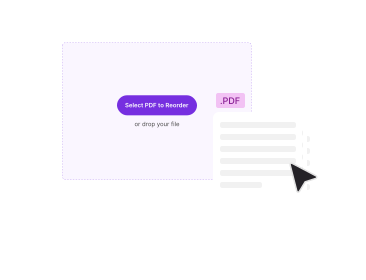
Upload Your PDFs
Drag up to five PDFs into the box above, or click to browse. Every page loads as a numbered thumbnail in its original order.
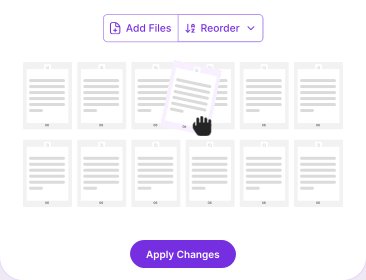
Rearrange the Pages
Drag a thumbnail into a new slot, or select pages and use Move Before or Move After. Reverse the whole file, insert a blank page, or delete pages you no longer need.
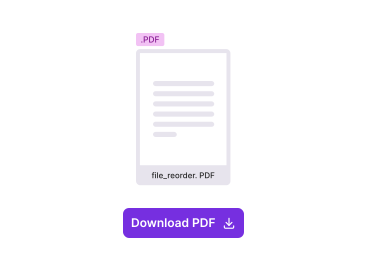
Apply and Download
Click Apply Changes. The reordered PDF downloads straight away as your original filename with _reordered added.
Why Rearrange PDF Pages With PDFNoob?
Everything a page organiser should do, including the part most of them skip.

Move Without Dragging
Drag-and-drop stops being practical past a few dozen pages. Select a page, choose Move Before or Move After, and send it anywhere in the document without a long scroll-drag.

Multi-Page Selection
Select several pages and move them together as a block. Their order relative to each other is preserved exactly, so a selected run stays a run.

Reverse in One Click
Flip a whole document back to front. Pages 1 to 10 become 10 down to 1. This is the standard fix for a stack that went through the scanner the wrong way round.

Insert Blank Pages
Add a blank page anywhere in the sequence, for print spreads, a signature page, or a separator before an appendix.

Nothing Gets Re-Rendered
Reordering rewrites the page tree, not the page content. No rasterising, no recompression, no quality loss, and no change to page dimensions.

Combine While You Reorder
Upload up to five PDFs at once and interleave their pages into one document before you download, instead of merging first and reordering after.
About Reordering PDF Pages
Reordering a PDF means changing the sequence its pages appear in, without changing what is printed on any of them. You might move a signature page to the end of a contract, pull a summary to the front of a report, fix a scan that came out back to front, or interleave two separately signed documents. The source file is never modified.
Underneath, a PDF holds its pages as objects in a structure called the page tree, and that tree records the order they are shown in. Reordering rewrites the tree and leaves every page object untouched. That is why it is close to instant even on a large file, and why nothing degrades: no page is decoded and redrawn, so text stays selectable, fonts stay embedded, and pages of different sizes keep their own dimensions.
When Page Order Goes Wrong
- Back-to-front scans: A document fed into a sheet-feeder the wrong way round arrives in reverse. One click on Reverse fixes the whole file.
- Separately signed sections: Contract pages signed by different people come back as separate PDFs that need interleaving, not just stacking.
- Appendices in the wrong place: An export drops appendices between chapters instead of after them.
- Print spreads: Booklet printing needs a blank page inserted so the next section starts on a right-hand page.
Reorder, Reverse, or Delete?
These three get confused, and picking wrong costs a round trip. Reordering changes where pages sit while keeping all of them, and that is this tool. If every page needs to run the other way, reversing the page order is one action instead of a drag per page. If pages should not be in the document at all, deleting pages is the direct route; to keep only a handful from a long file, extracting pages is faster. You can delete while reordering here, but one page must always remain.
Related PDF Tools
Other tools you might need today.


Frequently Asked Questions
Common questions about reordering, rearranging, and organising PDF pages.
How Do I Change the Order of Pages in a PDF?
Upload the PDF to PDFNoob. Every page appears as a numbered thumbnail. Drag one to a new slot, or select a page and use Move Before or Move After to place it anywhere. Click Apply Changes and the reordered PDF downloads. No account, no watermark.
How Can I Reorder PDF Pages for Free?
It is free with no trial and no email gate. Upload up to five PDFs of up to 50 MB each, rearrange the pages, and download. Nothing sits behind a paid tier.
How Do I Rearrange Pages in a PDF Without Acrobat?
You do not need a desktop PDF editor. PDFNoob runs in the browser, so reordering works the same on Windows, macOS, Linux, iOS, and Android. Upload, move the pages, download. Nothing gets installed.
Can I Move Several Pages at Once?
Yes. Select as many thumbnails as you need and move them as a block. Their order relative to each other is preserved, so moving pages 3, 4, and 5 before page 1 gives 3, 4, 5, 1, 2, 6.
How Do I Move Pages From One PDF to Another?
Upload both files together. Up to five PDFs per session, 50 MB each. Their pages load into one thumbnail strip, so you can interleave documents and download a single reordered PDF. To join files end to end, Merge PDF is quicker.
Can I Reverse the Page Order of a Whole PDF?
Yes. One click flips the whole document, so a 10-page file becomes 10 down to 1, the usual fix for a stack scanned back to front. If that is all you need, Reverse PDF Pages does it in one step.
Does Reordering Change the Quality of the PDF?
No. Reordering rewrites the page tree, the index that sets what order pages appear in. The pages are never re-rendered, so text stays selectable, fonts stay embedded, vectors stay sharp, and mixed page sizes are preserved.
Can I Reorder Pages in a Password-Protected PDF?
Yes. If a PDF is password-protected, Reorder PDF asks for the password when you upload it. Enter it once and the file opens in the editor like any other. You need to know the password; the tool cannot bypass or remove protection you don't have access to.
How Many Pages and Files Can I Upload?
Up to five PDFs per session, each up to 50 MB, with 500 pages in total across all files. A file that would push the total past 500 pages is skipped.
Does It Work on iPhone, iPad, or Android?
Yes. Open this page in Safari or Chrome and tap Select PDF to pick a file from Files, iCloud, or Google Drive. Thumbnails drag with touch, and Move Before and Move After cover the cases where a long drag is awkward on a small screen.