PDF/E packs an engineering drawing or technical document into a file that opens reliably without the CAD program that made it. It is meant for sharing engineering documents in a way that keeps the drawing, metadata, markups, and technical details usable outside the original software.
The standard behind PDF/E is ISO 24517. It was created for engineering, construction, manufacturing, mapping, and other technical workflows where a file needs to move between teams without losing important information.
There is one important update many pages skip. PDF/E-1 stayed tied to PDF 1.6, and it never received a Part 2. For newer 3D engineering workflows in PDF 2.0, the practical successor is PDF/A-4e, not a newer PDF/E-2.
That matters because many people still connect PDF/E with 3D PDF work. In current standards, 3D engineering data is better handled through PDF/A-4e, while PDF/E-1 remains the older engineering-focused PDF level.
This article explains what PDF/E is, what the “E” means, whether it is an ISO standard, what PDF/E files are used for, and how PDF/E differs from a normal PDF. Then it covers the goals of the format, who uses it, and how to make or open a PDF/E file.
What Is PDF/E?
PDF/E is a kind of PDF, set by ISO 24517, made for sharing an engineering document or technical file in a reliable way.
It is used in CAD, construction, mapping, manufacturing, and other technical workflows where drawings need to move between people who may not use the same software. A CAD drawing, construction detail, map sheet, or technical drawing can be shared for review without forcing every person to open the original design program.
PDF/E is a limited, self-contained file. It is designed to keep the important technical information inside the PDF instead of depending on missing links, outside resources, or software-specific settings.
The goal is simple: a person should be able to open a drawing without the CAD program that made it. That makes the file easier to share across engineers, contractors, reviewers, government offices, and project teams.
So PDF/E is not just a visual copy of a drawing. It is a reliable engineering exchange file built to keep technical documents usable beyond the software that created them.
What Does the 'E' in PDF/E Stand For?
The “E” in PDF/E stands for engineering. The standard was built for engineering, the construction industry, and other technical fields where drawings and project files need to be exchanged reliably.
Engineering needed its own PDF subset because technical files are not always simple pages of text. They may include detailed linework, measurements, layers, markups, maps, manufacturing details, and drawing references that must stay understandable after the file leaves the original software.
A normal business PDF might only need to preserve how a page looks. An engineering PDF needs to preserve enough technical meaning for review, approval, construction, fabrication, mapping, or documentation.
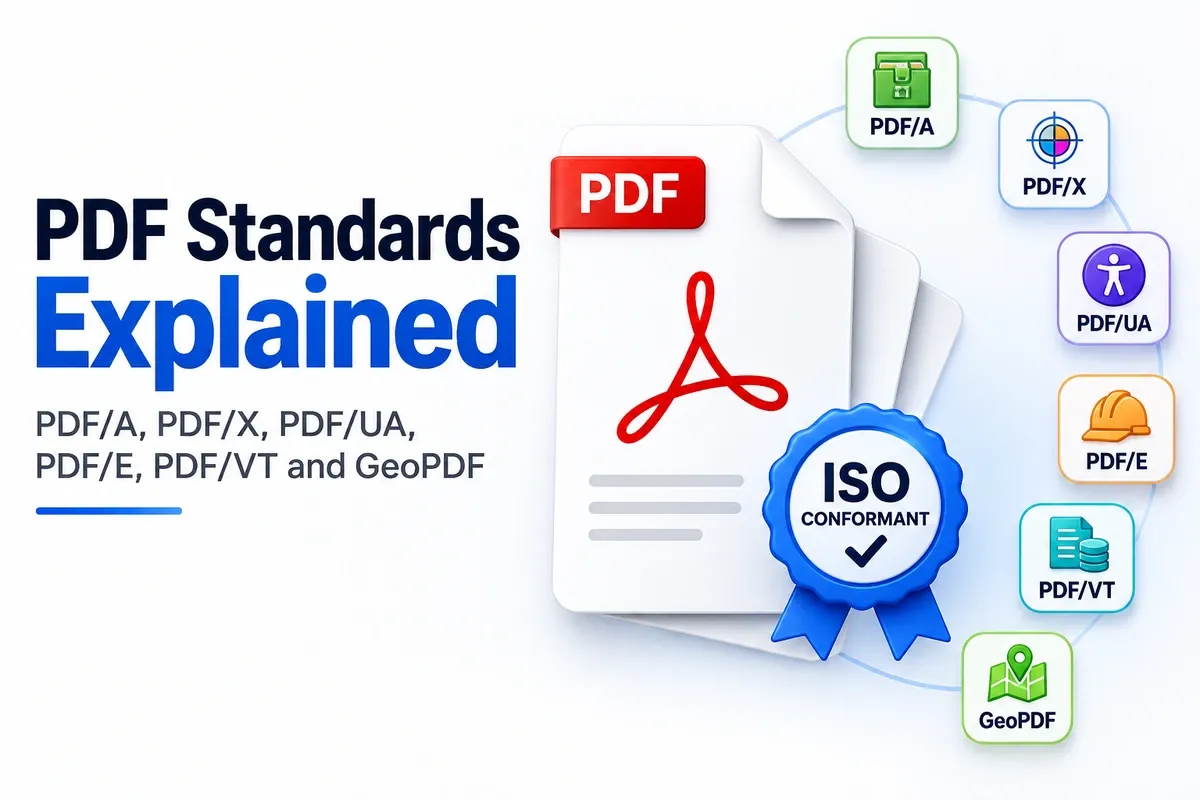
PDF/E can cover many kinds of technical document workflows, including CAD drawings, building plans, plant diagrams, road layouts, map sheets, product drawings, and manufacturing records. Here is how PDF/E sits in the larger PDF standards family.
| PDF Family | What the Letter Means | Main Purpose |
|---|---|---|
| PDF/A | Archive | Long-term preservation |
| PDF/X | Print exchange | Reliable print production |
| PDF/UA | Universal Accessibility | Accessible reading |
| PDF/E | Engineering | Technical and engineering document exchange |
So the “E” tells you the purpose of the file. PDF/E exists for engineering exchange, where the receiver needs more than a pretty page, and the file cannot quietly lose the technical details behind the drawing.
Is PDF/E an ISO Standard (ISO 24517)?
Yes. PDF/E is an ISO standard, and PDF/E-1 was published as ISO 24517-1:2008. It is built on PDF 1.6.
The work started at Adobe in 2004, when the engineering-focused PDF format began moving toward a formal standard. The goal was to make technical document exchange more reliable for engineering, construction, manufacturing, mapping, and related workflows.
The ISO release came in 2008 as ISO 24517-1:2008. That exact version matters because PDF/E-1 is tied to PDF 1.6, not PDF 1.7, PDF 2.0, or a later PDF/E-2 standard.
PDF/E is maintained under ISO TC 171, the ISO technical committee that handles document management applications and PDF-related standards. That committee is why the format has fixed rules rather than vendor-by-vendor interpretations.
The important point is that PDF/E-1 is the defined ISO level. It gives engineering workflows a standard PDF subset for reliable exchange, but it did not continue into a newer Part 2.
What Are PDF/E Files Used For?
PDF/E files are used to share CAD drawing files, engineering plans, construction plan sets, geospatial map sheets, manufacturing spec documents, and other technical files that need reliable exchange.
They are useful when people need to review technical content without opening the original CAD, mapping, or engineering software. A PDF/E file can carry drawings, markups, layers, measurements, and project information in a format more teams can open. Common PDF/E uses include:
- As-built drawings: An as-built drawing shows how a project was actually built, not only how it was first designed. PDF/E helps share these drawings with owners, contractors, engineers, and inspectors.
- Construction plans: A construction plan can be shared with project teams, reviewers, permit offices, and contractors so everyone can check the same technical layout.
- CAD drawings: A CAD drawing can be exported to PDF/E when the receiver needs to view or review the drawing but does not need the full editable CAD file.
- Geospatial maps: A geospatial map or map sheet can be shared for planning, surveying, infrastructure, utilities, or government review without depending on one mapping program.
- Manufacturing specs: A manufacturing spec can include product drawings, part details, assembly notes, tolerances, or technical instructions that need to stay clear during handoff.
- Plant schematics: Plant schematics can show equipment layouts, piping, electrical routes, process flows, or facility systems for engineering review and documentation.
Some of these files only need reliable viewing. Others need clickable layers, comments, measurements, links, or markups so reviewers can inspect the technical content without changing the source design.
The main industries that rely on PDF/E are engineering, architecture, construction, manufacturing, mapping, utilities, infrastructure, and government review. In each case, the point is the same: send a technical file that people can open, inspect, and trust without needing the original authoring software.
How Does PDF/E Differ From a Regular PDF?
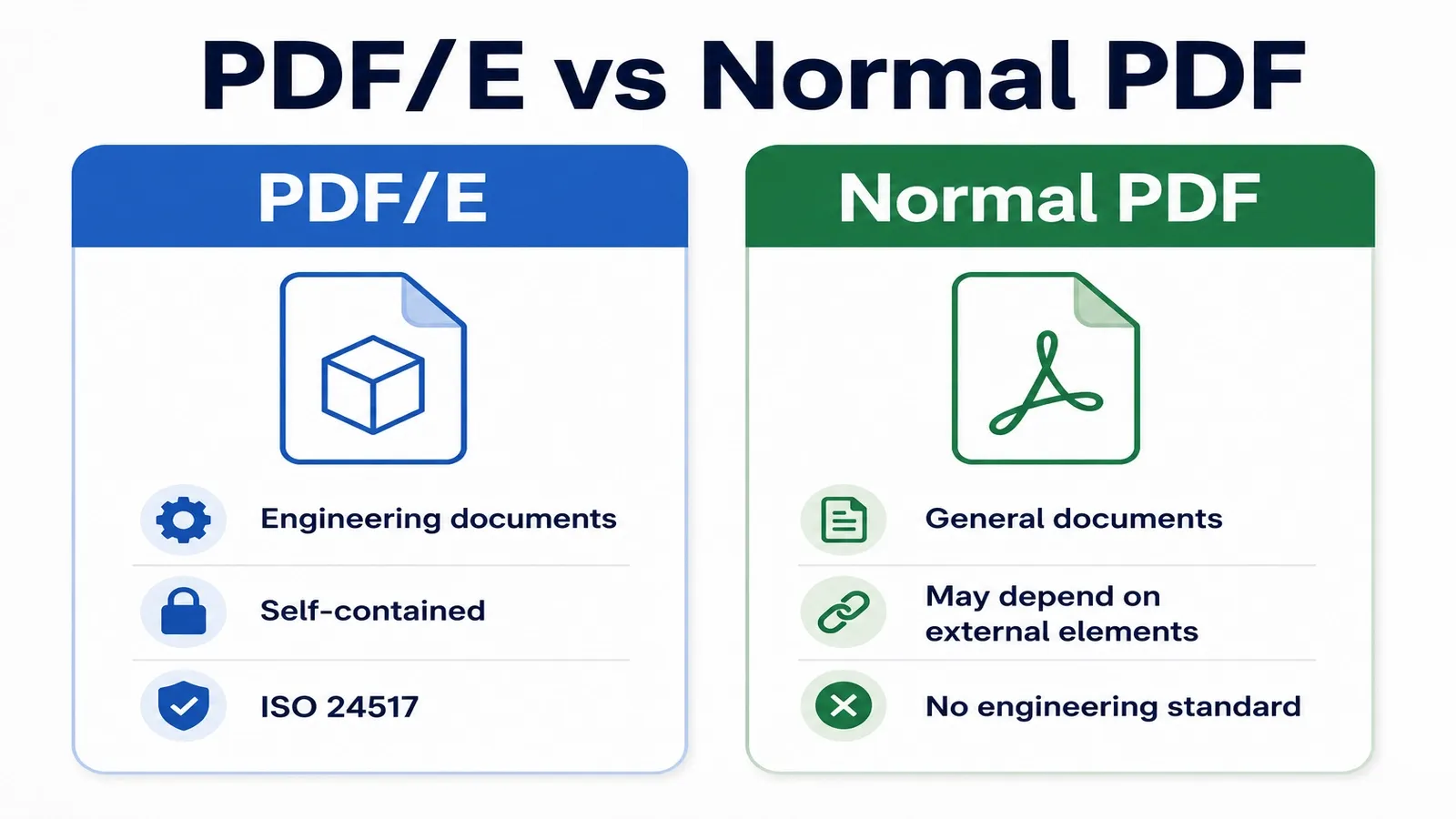
A regular PDF can depend on outside files, linked resources, or software-specific settings. A PDF/E file must be self-contained, so it stays reliable when engineers share it across teams, systems, and reviewers.
The main difference is trust during engineering exchange. A normal PDF may look fine on screen, but if it depends on a missing link, external reference, unavailable font, or unsupported feature, the receiver may not see the complete technical document.
PDF/E reduces that risk by putting the needed technical information inside the file. The receiver should be able to open, inspect, review, and archive the drawing without chasing the original CAD file or missing project assets.
| Regular PDF Allows | PDF/E Limits |
|---|---|
| Linked files or external resources | Keeps required content inside the PDF where appropriate |
| Software-specific behavior | Uses a more reliable engineering-focused subset of PDF features |
| Missing technical context | Preserves file information and provenance more clearly |
| General document features | Applies engineering-focused restriction rules |
| A file that only looks correct | A file that is more dependable for technical exchange |
The value of PDF/E is completeness. An engineering file cannot quietly lose a linked part, missing reference, layer note, drawing detail, or technical attachment and still be trusted during review.
PDF/E is stricter than a regular PDF because technical files carry decisions, measurements, approvals, and project records. The promise is simple: the person receiving the file should get a complete engineering document, not a pretty page with pieces missing behind it.
What Are the Objectives of the PDF/E Format?
The objectives of PDF/E are open sharing of engineering data, software independence, and support for large, complex technical drawings that should not depend on one program to stay usable.
The main problem PDF/E was built to solve is vendor lock-in. Engineering files often start inside specialised CAD, mapping, or design software, but the people reviewing the file may not use the same tool. The main objectives are listed below.
- Open sharing of engineering data: PDF/E gives teams a neutral way to exchange technical drawings, project details, measurements, and related engineering information without locking the file inside one software system.
- Software independence: The receiver should be able to open, review, and understand the file without being forced to use the same CAD, mapping, or design program as the person who created it.
- Vendor neutrality: PDF/E supports vendor neutrality by reducing dependence on one software vendor or one proprietary workflow. This is the reason a neutral engineering format was needed in the first place.
- Interoperability across project teams: PDF/E supports interoperability so engineers, contractors, reviewers, manufacturers, project owners, and public agencies can exchange files without breaking the drawing or losing technical context.
- Files that remain useful over time: Engineering records may need to stay understandable after a project ends, a building changes hands, or the original CAD software is no longer available.
- Support for drawings and markup workflows: PDF/E supports large technical drawings and markup workflows where reviewers add comments, measurements, notes, corrections, or approval marks while keeping the drawing clear and controlled.
So the format exists to make engineering exchange less dependent on one vendor, one program, or one workstation. The file should remain readable, reviewable, and technically useful wherever the project team needs it.
Who Uses PDF/E?
Engineers, architects, construction firms, government agencies, and manufacturers use PDF/E to share technical documents that need reliable review, approval, and handoff.
PDF/E usually appears when a project file moves from the person who created it to another reviewer, client, contractor, supplier, or authority that must inspect it without the original CAD software.
| User or Field | Where PDF/E Shows Up | Why It Helps |
|---|---|---|
| Engineer | Drawing packages, design details, plant layouts, calculations, and infrastructure plans | Lets reviewers inspect technical files without needing the original CAD authoring tool |
| Architect | Building plans, construction details, design revisions, and drawing sets | Helps clients, contractors, consultants, and permit reviewers open the same controlled document |
| Construction Firm | Bidding, coordination, field review, change documentation, and final project handoff | Shares technical drawings without passing around editable source files |
| Government Agency | Public works plans, mapping documents, inspection records, infrastructure drawings, and formal submittals | Gives public-sector reviewers a neutral file that can be opened and checked consistently |
| Manufacturer | Product drawings, assembly diagrams, plant schematics, part documentation, and technical specifications | Moves technical information between design, production, quality control, and suppliers |
PDF/E also appears at formal project handoff points, such as a design review package, a contractor coordination set, a client approval file, a permit set, a government submittal, or a final as-built record.
In those formal handoffs, a neutral, self-contained file is not just handy. It may be required so every reviewer receives the same technical document, with the same drawing information, without depending on one company’s software.
How Do You Create or Open a PDF/E File?
Make a PDF/E file by exporting from CAD software or a PDF tool to the PDF/E profile. Open one in any normal PDF reader, because a PDF/E file is still a PDF.
The usual creation path starts with the source engineering file. In a CAD, mapping, or technical drawing program, use the export or print-to-PDF option, then choose the PDF/E setting if the software provides one.
That CAD export should create a self-contained file for review, sharing, and technical handoff. The goal is not to send the editable CAD source. The goal is to send a controlled PDF that other people can open without the original authoring tool.
A conforming reader or standard PDF reader can open the file for viewing. The receiver should be able to inspect the drawing, review the page content, and check the technical information without installing the same CAD program.
To check whether the file actually meets the standard, run validation in a PDF preflight tool or a standards checker that can test PDF/E conformance. Do not rely only on the file name or the export label, because a file called “PDF/E” can still fail if the required rules are not met.
One practical warning: many modern tools no longer offer a clear PDF/E export option. If the PDF/E profile is missing, do not simply rename a normal PDF and treat it as conforming. Renaming changes nothing inside the file, so a preflight check will still fail it.
For current engineering workflows that include 3D data, the better path is often PDF/A-4e. PDF/E-1 is older, while PDF/A-4e is the newer standard path for archiving engineering content with 3D support.
Can a PDF/E File Include 3D Data, Layers, and Markups?
PDF/E-1 can include layers and markups, but it does not support 3D data. For 3D engineering content, use the newer PDF/A-4e level in PDF 2.0.
PDF/E-1 was built for engineering document exchange based on PDF 1.6. It can support technical page content, drawing information, comments, annotations, measurements, and layer-style visibility controls that help reviewers inspect a file without changing the source drawing.
That makes PDF/E useful for 2D engineering review and controlled technical handoff. Reviewers can turn layers on or off, read markups, check notes, and inspect drawing details in a PDF-based workflow.
The limit is 3D. PDF/E-1 does not define 3D model support, so a file should not be treated as “3D PDF/E” just because it contains engineering content.
A 3D PDF normally uses 3D formats such as U3D or PRC inside the PDF file. Those formats are used to carry interactive 3D model data, not just flat drawing pages or review comments.
For standards-based archiving of 3D engineering content, the current path is PDF/A-4e. It is built for PDF 2.0 workflows and can preserve engineering documents that include 3D model information.
So the clean answer is PDF/E-1 supports layers and markups, but not 3D models. If the file needs U3D or PRC-based 3D engineering data, PDF/A-4e is the better standard to use.
How Does PDF/E Relate to PDF/A-4e in PDF 2.0?
PDF/A-4e is the PDF 2.0 archiving level, defined in ISO 19005-4, that can hold 3D engineering content. It has largely taken over the job PDF/E-1 was expected to handle for modern engineering files.
PDF/E-1 was created for engineering exchange, but it stayed tied to PDF 1.6 and did not continue into a newer Part 2. That left a gap for modern engineering files that need newer PDF features and 3D model support.
PDF/A-4e fills that gap inside the PDF/A family. It is built for long-term preservation of engineering PDFs that may include 3D data, annotations, technical views, and related engineering information.
The handover is simple. PDF/E-1 remains the older engineering exchange standard, while PDF/A-4e is the newer standards path for PDF 2.0 engineering documents that need archiving and 3D support.
This does not mean every PDF/E file must become PDF/A-4e. For older 2D engineering exchange, PDF/E-1 may still describe the file type. For current 3D engineering workflows, PDF/A-4e is usually the more relevant standard.
For the full definition of the preservation standard, read the dedicated What is PDF/A guide.
How Does PDF/E Compare to PDF/X, PDF/A, and PDF/VT?
PDF/E is for engineering, PDF/X is for print, PDF/A is for storage, and PDF/VT is for variable-data printing. Four PDF subtypes exist for four different jobs. The quick contrast looks like this.
Use PDF/E when the file needs to move through engineering review. Use PDF/X when the file needs to go to print. Use PDF/A when the file needs to last. Use PDF/VT when print content changes from one recipient or record to another.
For the broader standards comparison, read the dedicated PDF/A vs PDF/X vs PDF/UA guide.