



Add Header and Footer to PDF Online and Free
Add a title, reference or date to the top or bottom of your PDF pages in a few clicks. No sign-up. No watermark.
- Free, with nothing uploaded: it runs in your browser.
- Left, centre or right; bold or italic; any colour.
- All pages, or just the ones you type, like 1-10, 15, 25-30.

or drop your PDF file here
One PDF at a time · Run in your browser · Free
Files deleted within 1 hour. We don’t index your file contents or use them to train AI.

Nothing Leaves Your Device
Runs in your browser. Nothing is uploaded.

Only a Text Layer Is Added
Your pages and layout stay as they were.

Ranges and Single Pages
Type 1-10, 15, 25-30 in one box.

No Sign-Up, No Watermark
Free. Only the text you typed is added.
How To Add a Header and Footer to a PDF
Three steps, with a live preview before anything is applied.
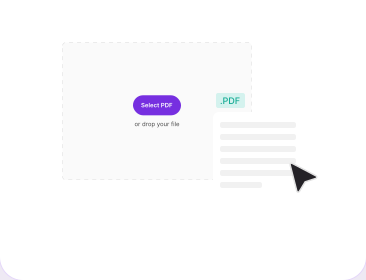
Add Your PDF
Drop it in the box above or pick it from your device. It opens in your browser.
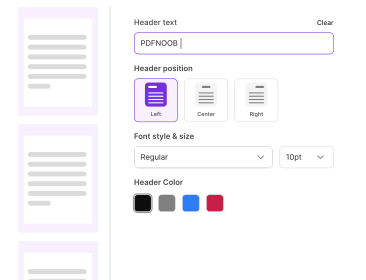
Type and Style Your Text
Enter a header, a footer or both. Pick position, style, size, colour and pages.
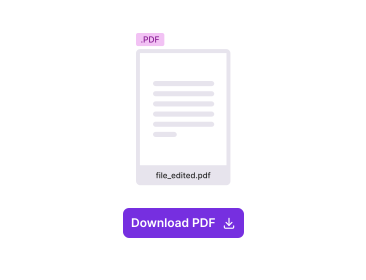
Apply, Then Download
Click **Apply Header & Footer**, check the result, and download your PDF.
Why Add Headers and Footers With PDFNoob?
No copying a text box onto every page by hand.

Ranges and Single Pages in One Box
Type 1-10, 15, 25-30 in one box. Every other page stays untouched.

See It Before You Apply It
A live preview shows exactly where your text will land.

Back to Editing Without Starting Over
Change a setting and apply again, without adding the file a second time.

Header and Footer Styled Separately
Each gets its own position, style, size and colour.

Nothing Clipped, Nothing Moved
Text sits inside a safe margin. The rest of your page is not changed.

Your File Never Leaves Your Browser
Nothing is uploaded, stored or used to train AI.
About Adding Headers and Footers to PDFs
A PDF header is text that repeats at the top of each page; a PDF footer repeats at the bottom. To add header and footer in PDF files, type the text once and it appears on every page you choose, even when the file is already final.
Header vs Footer: What Usually Goes Where
Headers usually hold the title or project name. Footers hold dates, references or a Confidential note. Centre reads as a title, left as a label, right as a date. Keep header and footer in PDF pages short.
Applying a Header to Only Some Pages
Type pages into one box, like 1-10, 15, 25-30. A range partly past the last page is trimmed; one fully past it blocks Apply.
Style, Size and Colour Options
Regular, Bold or Italic; font size 8, 10 or 12; Black, Grey, Blue or Red, or any other colour from the ••• colour picker. Default: Regular, 10, Black, centred.
Long Text and Other Languages
Long text wraps up to 5 lines; line 5 ends in an ellipsis. You can type in any language PDFNoob supports, including Spanish, Japanese and Thai.
What This Tool Does Not Add
No automatic page numbers, dates or logos. For page numbers, use Add Page Numbers; for text anywhere else, use the PDF editor.
Related PDF Tools
Other tools you might need today.


Frequently Asked Questions
Common questions about adding and inserting page numbers in PDFs.
How Do I Add a Header and Footer to a PDF?
Add your PDF, type the header and footer text, pick position, style, size, colour and pages, then click Apply Header & Footer and download.
Can I Add a Header and Footer to a PDF Online for Free?
Yes. You can insert a header and footer into a PDF online for free, in any browser, with no sign-up.
Can I Add Only a Footer, or Only a Header?
Yes. To add a footer to a PDF only, fill in just the footer box; to add a header to a PDF only, fill in just the header box. Apply stays disabled until there is text.
Can I Put the Header on Some Pages Only?
Yes. Type the pages into one box, like 1-10, 15, 25-30. Other pages stay untouched.
What Happens if My Page Ranges Overlap?
Each page gets the header once, never twice.
Which Fonts, Sizes and Colours Can I Use?
Regular, Bold or Italic; 8, 10 or 12 point; and Black, Grey, Blue or Red, or any other colour using the ••• button next to them. The header and footer each have their own colour.
Can I Change the Header After Applying It?
Yes. Choose Back to Editing; your file and settings are still there.
Will the Header Cover My Existing Content?
No. Text sits inside a safe top or bottom margin and the rest of the page is unchanged.
Can I Add Page Numbers or the Date Automatically?
Not with this tool. Use Add Page Numbers on the same PDF.
Is It Safe to Add Headers to a PDF Online?
Yes. It runs in your browser, so your file is never uploaded or stored.